Austin Mac Works Blog: Blog

How To Password Protect Your Files

How To Password Protect Your Files

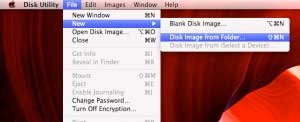
Thanks to Apple and Mountain Lion, password protecting your folders is easier then ever. This is ideal for things that you want kept unseen or safe in case your computer is stolen. The process starts by first opening Disk Utility under Utilities in the application...
OS X Mountain Lion: Calendar

OS X Mountain Lion: Calendar

OS X Mountain Lion has hundreds of new features. From time to time, Apple MacWorks will feature different aspects of the new OS. Today, we'll look at some of the great Calendar features of OS X Mountain Lion. If you need help upgrading to Mountain Lion, stop in to...

OS X Mountain Lion: Auto Save Features

OS X Mountain Lion: Auto Save Features

OS X Mountain Lion has hundreds of new features. From time to time, Apple MacWorks will feature different aspects of the new OS. Today, we'll look at some of the great Auto Save features of OS X Mountain Lion. If you need help upgrading to Mountain Lion, stop in to...

How to Backup Your Mac Using Time Machine

How to Backup Your Mac Using Time Machine

Setting up Time Machine is as easy as connecting an external drive to your Mac via Thunderbolt, FireWire or USB. You can also use a secondary internal drive if your desktop Mac has one (that is, a drive that you don't start up from). If you haven't specified a Time...

How to Set Up a Wireless Network

How to Set Up a Wireless Network

Setting up a wireless network might seem scary, but really, thanks to Apple, setting up a wireless network is simpler then ever.  To view a video of how to set up a wireless network click here. Or, see the instructions below:   Requirements: Wifi-enabled computer...

How to Add Safari Bookmarks to Your Dock

How to Add Safari Bookmarks to Your Dock

You may not know this, but you can fill the dock with more than just applications and folders. The dock can also hold web pages stored as bookmarks. This allows you to have quick access to your favorite sites. To do this, using Safari,  find the web page you would...

How to Add Safari Bookmarks to Your Dock

Products We Love: Boost Speaker

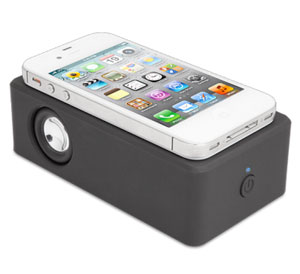
If you need to amp the volume on your device, the Boost speaker is the perfect solution.  This amazing devices gets raves from everyone who walks through our doors! The iFrogz Boost NearField Audio speaker is so simple. Just put nearly any smartphone or digital media...

BookBook: Combo Wallet and iPhone Case

BookBook: Combo Wallet and iPhone Case

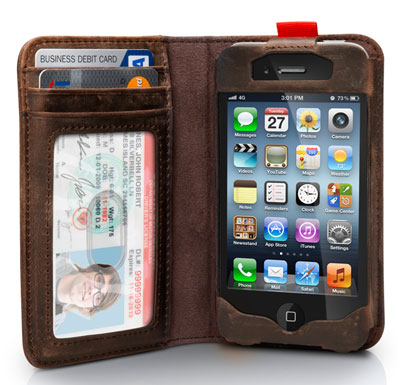
BookBook for iPhone is a wallet and iPhone case rolled into one pocket-sized, vintage book. Open this beautifully designed leather book and you will see a wallet on the left and a slot for your iPhone 4 or iPhone 4s on the right. Trade your wallet for this handsome...