Mountain Lion has added the ability to view multi-page previews of Word documents when you hover your cursor over the icon, as has been possible with PDFs since Lion. To see a preview, hover your cursor over a Word document. You'll see two arrow icons on the document...
Austin Mac Works Blog: Software
OS X Mountain Lion: Auto Save Features
OS X Mountain Lion has hundreds of new features. From time to time, Apple MacWorks will feature different aspects of the new OS. Today, we'll look at some of the great Auto Save features of OS X Mountain Lion. If you need help upgrading to Mountain Lion, stop in to...

How To Restore Your Mac From a Time Machine Backup
With Time Machine you can go "back in time" to restore files, versions of files, or your entire system. Make sure your backup drive is connected and mounted (if not, Time Machine will alert you that "Your Time Machine backup disk can't be found." If prompted, enter an...
How to Backup Your Mac Using Time Machine
Setting up Time Machine is as easy as connecting an external drive to your Mac via Thunderbolt, FireWire or USB. You can also use a secondary internal drive if your desktop Mac has one (that is, a drive that you don't start up from). If you haven't specified a Time...
How to Add Safari Bookmarks to Your Dock
You may not know this, but you can fill the dock with more than just applications and folders. The dock can also hold web pages stored as bookmarks. This allows you to have quick access to your favorite sites. To do this, using Safari, find the web page you would...
How to Use Mac’s Address Book
Address Book makes it easy to manage your current address book, personal organizer, or business card collection. Learn how to create contacts and add Smart Groups to your Address Book. Address Book keeps all your contacts right at your fingertips Address Book allows...
iPad App Offers Great iPad Tutorials
If you're new to iPad, you might want to check out SCOtutor for iPad, which is a comprehensive video guide to using the iPad. Starting from first principles, this video tutorial leads you through all aspects of using an iPad in simple steps. Covering all the new...
Keep Your Kids’ Minds Sharp This Summer
MacWorld offers these great ideas for avoiding summer brain drain. 1. Learn at your own pace If you check out only one resource for your elementary-, middle- or high-school-aged kid this summer, make sure it’s online learning sensation Khan Academy, also available as...
Do You Know About Reading Lists in Safari?
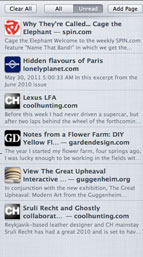
Do you know about Safari's reading list option? It allows you to save favorite web pages for easy retrieval—it's even easier than bookmarks. Saving a page to your Safari reading list is easy. Once you're on a page you want to save, so up to the Bookmarks menu and...
Keep Kids Busy This Summer with These iPad Apps
We know you don't want your kids doing the electronics thing all day every day this summer. But after they've had a good long turn outside and it's time to come inside and cool down a bit, you might want to let them play with any of these great apps: Creatures of...
Super insightful and fresh perspective.
Well explained and easy to follow.
So glad I stumbled upon this.
Looking forward to your next post!
Truly a masterpiece of content.