
The Austin MacWorks Official Blog

Are You Incurring Technical Debt? Avoid It by Staying Current
Are you incurring technical debt by running ancient apps on elderly hardware? It might seem like a cost-saving move, but it’s usually a false economy based on the loss of productivity, unscheduled upgrades, and higher support costs.

Learn How to Paste Text So Its Style Matches the Surrounding Text
Format painting is tiring. Learn how to use keyboard shortcuts to paste your desired text and automatically match the text around it.

Upgrade to iOS 14.5 and watchOS 7.4 to Unlock Face ID iPhones with Your Watch
It’s frustrating when your mask prevents Face ID from unlocking your iPhone, but Apple has now come to our rescue with iOS 14.5 and watchOS 7.4, which can automatically unlock using your Apple Watch.
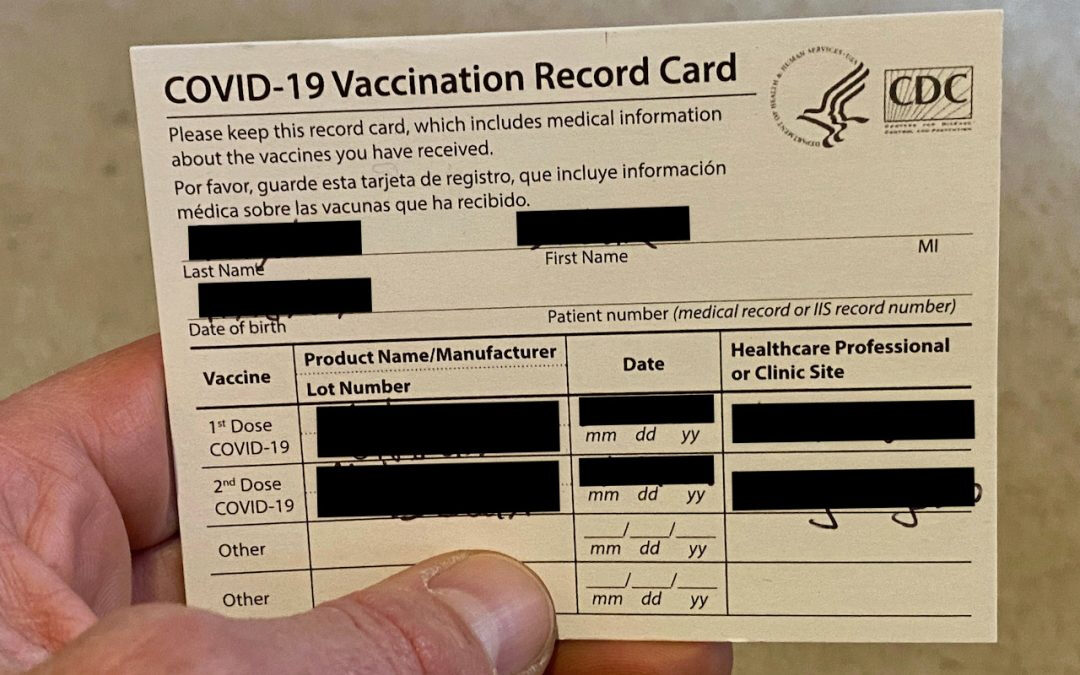
Privacy Tip: Don’t Post Vaccination Record Cards on Social Media
Resist the urge to post a photo of your vaccination card on social media. The cards include personal info that could be used to steal your identity.

How to Avoid Embarrassment During Online Presentations or Screen Sharing
When sharing your screen online, would you be embarrassed if your clients, colleagues, or bosses saw what’s on your Mac—your desktop picture, screen saver, browser tabs, email notifications, or Messages conversations? Here’s what to watch out for.

Apple Hid the Proxy Icon in Big Sur’s Finder. Here’s How to Reveal It
Find out how to expand a document’s file name, and reveal the proxy icon and the drop-down menu.
Useful walkthrough. The concrete examples made the workflow much easier to follow.
Saved my day
The note that Rosetta isn’t automatically restored after the macOS 27 Golden Gate upgrade is the part that would catch…
Useful note that Live Text needs an A12 Bionic or later on iPhone and iPad but works on any Mac…
Just found text to game by Tuvimo and it actually works for quick browser fun. Makes me want to revisit…