
 Image by Andrew Wulf on Unsplash
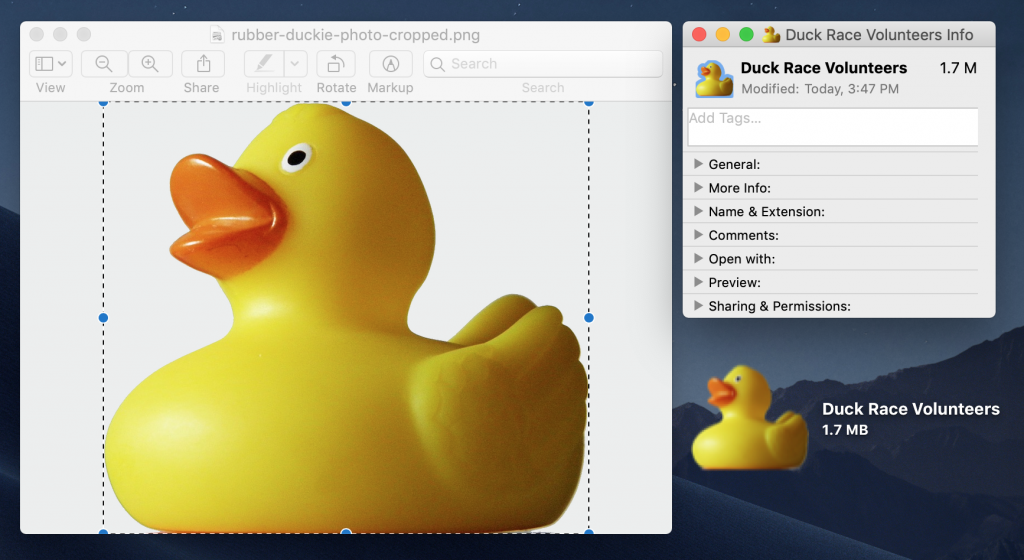
Do you have a document that you open regularly, perhaps from your Desktop? If you’d like to make it stand out from other documents, why not give it a custom icon? This was common practice on the Mac back in the day, and it’s still possible in modern versions of macOS. Go to Google Images and search for “searchTerm icon” to see what images are available. (It’s fine to use any graphic for one-time personal use; if you’re planning to distribute the file or publish the icon in any way, make sure to read and honor any licensing requirements.) Download an image you like (Control-click it and look for a Save Image command), open it in Preview (where you can delete any background or crop as desired), press Command-A for Select All, and Command-C to copy the image. Then select the icon for the file you want to customize, press Command-I to open its Get Info window, click the current icon in the upper-left corner (it gets a faint highlight outline), and press Command-V to paste.

A week might be too short if IT approval is still pending. I'd treat "keeping your old iPhone for a…
Awesome tech breakdown on "When Should You Upgrade to macOS 27 Golden Gate, iOS 27, iPadOS 27, watchOS 27, tvOS…
I’ve used Chrome’s built-in screenshot tool, but opening DevTools every time gets a bit tedious. I recommend FullPage Capture, it’s…
This is such an important reminder. I've been in meetings where an AI notetaker silently joined and recorded everything, and…
Awesome tech breakdown on "When Should You Upgrade to macOS 27 Golden Gate, iOS 27, iPadOS 27, watchOS 27, tvOS…