

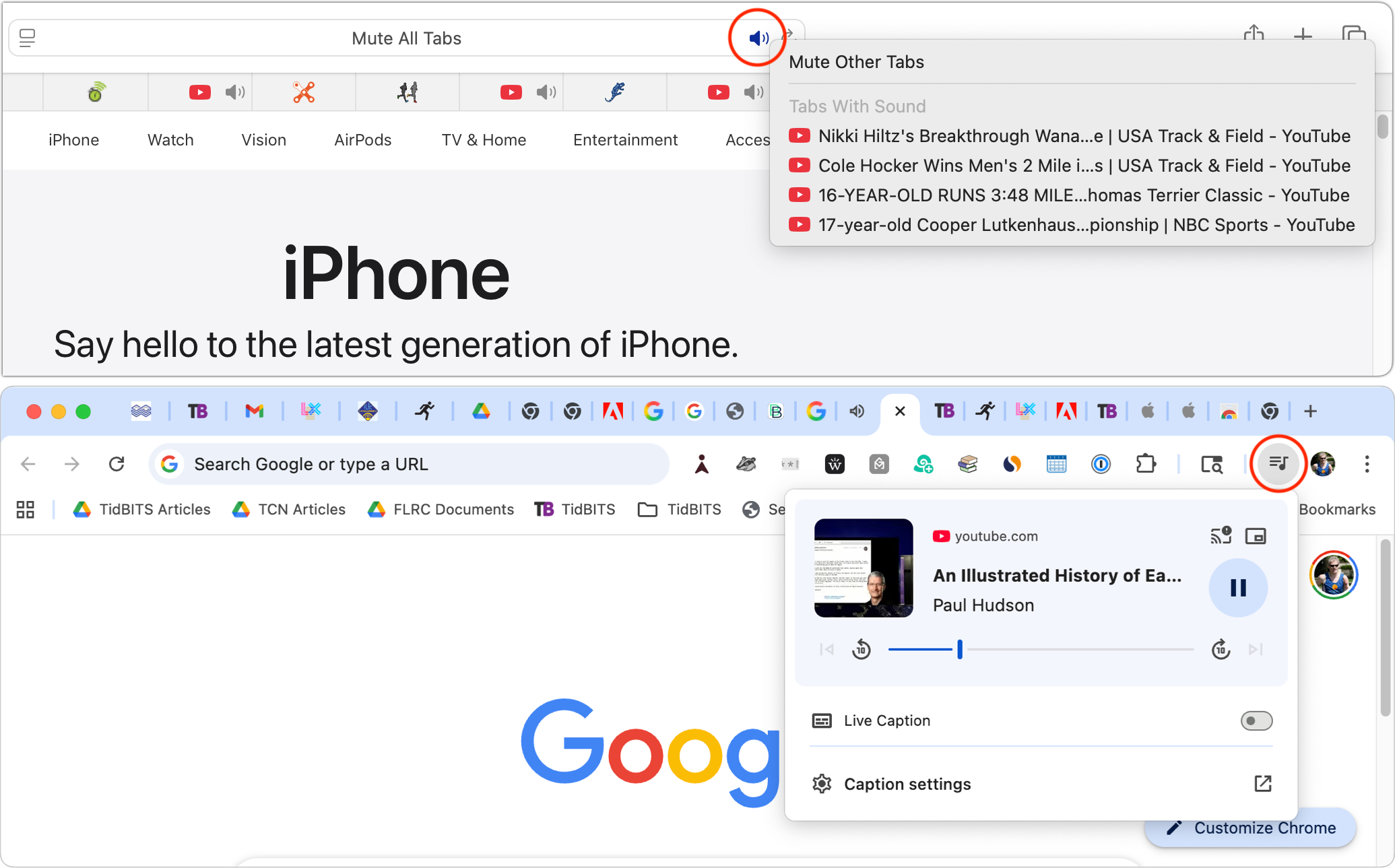
When a Web browser has many tabs open, it can be hard to find the one playing audio (Austin’s Black Pumas, for example!) if you need to silence it. Worse, when a browser relaunches, it can be tough to identify and silence all the tabs that have automatically started playing audio. Happily, all browsers can help. Tabs with active audio show a speaker icon next to their names; click it to mute the audio. These speaker icons are easier to spot in browsers that display tabs vertically rather than horizontally across the top, where space constraints may prevent the speaker icons from appearing. Safari provides an additional option: a speaker icon on the right side of the address bar (see the top screenshot). Click it to mute all audio, or Control-click it to see which tabs are playing audio. Chromium-based browsers—including Google Chrome, Brave, and Microsoft Edge—display a musical note icon in the upper-right corner of the toolbar (bottom screenshot). Click it to open playback controls and stop playback.
(Featured image based on an original by iStock.com/Khosrork)

A week might be too short if IT approval is still pending. I'd treat "keeping your old iPhone for a…
Awesome tech breakdown on "When Should You Upgrade to macOS 27 Golden Gate, iOS 27, iPadOS 27, watchOS 27, tvOS…
I’ve used Chrome’s built-in screenshot tool, but opening DevTools every time gets a bit tedious. I recommend FullPage Capture, it’s…
This is such an important reminder. I've been in meetings where an AI notetaker silently joined and recorded everything, and…
Awesome tech breakdown on "When Should You Upgrade to macOS 27 Golden Gate, iOS 27, iPadOS 27, watchOS 27, tvOS…