

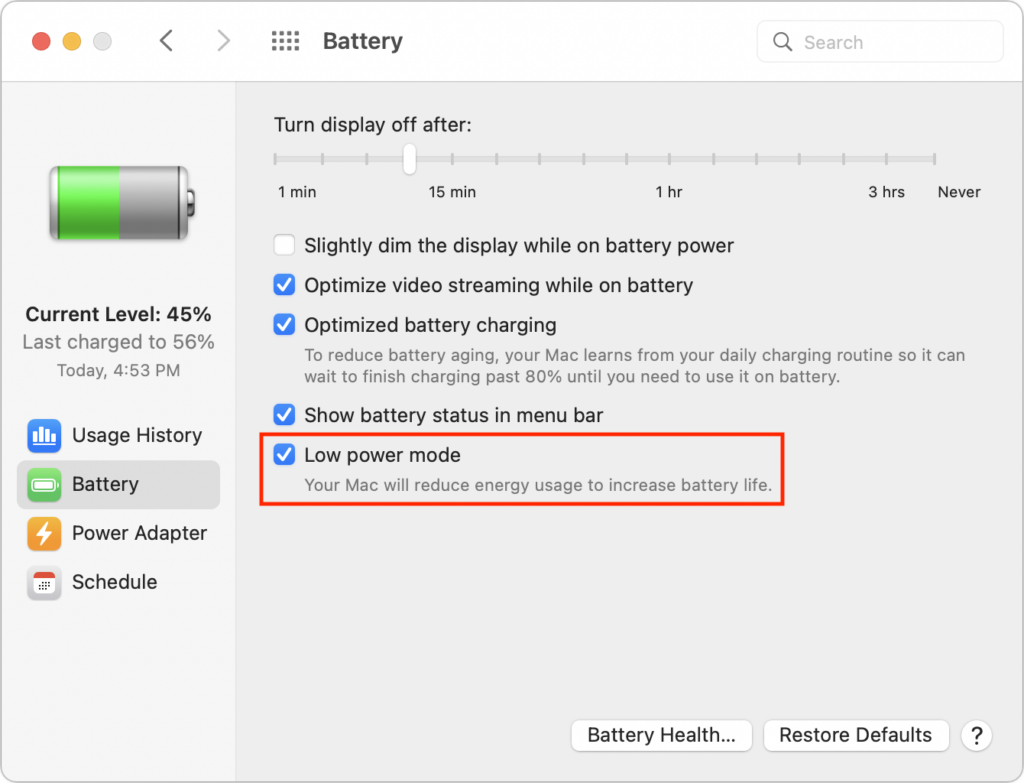
We’ve become accustomed to our iPhones and iPads switching into Low Power Mode to preserve battery life, and you can enable it manually if you want to reduce power usage for a day. New in macOS 12 Monterey for the MacBook Air and MacBook Pro is a similar feature, though you must enable it manually. Open System Preferences > Battery, click Battery in the sidebar, and select Low Power Mode. It reduces the screen brightness automatically and may decrease CPU performance. Make sure to turn it off once you don’t need it anymore.
(Featured image by iStock.com/Pascal Kiszon)

A week might be too short if IT approval is still pending. I'd treat "keeping your old iPhone for a…
Awesome tech breakdown on "When Should You Upgrade to macOS 27 Golden Gate, iOS 27, iPadOS 27, watchOS 27, tvOS…
I’ve used Chrome’s built-in screenshot tool, but opening DevTools every time gets a bit tedious. I recommend FullPage Capture, it’s…
This is such an important reminder. I've been in meetings where an AI notetaker silently joined and recorded everything, and…
Awesome tech breakdown on "When Should You Upgrade to macOS 27 Golden Gate, iOS 27, iPadOS 27, watchOS 27, tvOS…