
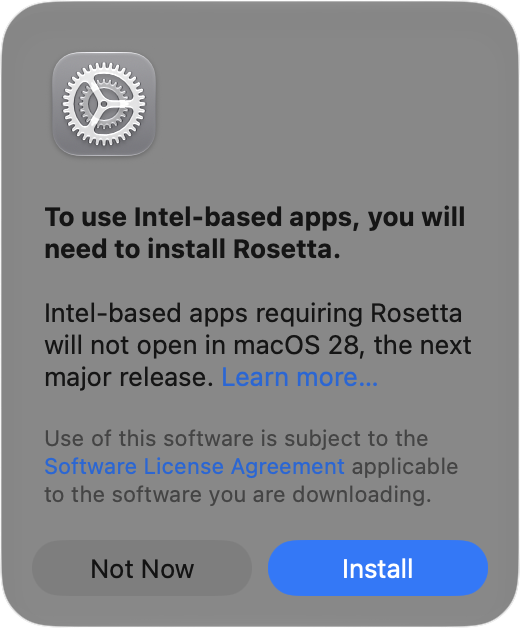
Has an older app stopped opening after you upgraded to macOS 27 Golden Gate? The missing piece may be Rosetta, Apple’s software that lets Intel-based apps run on Macs with Apple silicon. Even if you installed Rosetta years ago, Apple’s release notes say it isn’t automatically restored after the upgrade. Fortunately, macOS 27 still supports it. With your Mac connected to the Internet, open the affected app. If you’re prompted to install Rosetta, click Install and enter your Mac login credentials when requested. You can also install Rosetta using Terminal: open Terminal from Applications > Utilities, enter softwareupdate –install-rosetta, press Return, and follow the on-screen instructions. Then try the app again. Installing from Terminal lets you set it up before you need it. Reinstalling Rosetta won’t resolve every compatibility problem, but it’s worth checking before replacing software you rely on. Also check whether the developer offers an Apple silicon or Universal version, since general Rosetta support ends after macOS 27.
We can definitely help with this; stop by either Austin MacWorks store and we’ll get you fixed up.
(Featured image by iStock.com/Claudio Caridi)

A week might be too short if IT approval is still pending. I'd treat "keeping your old iPhone for a…
Awesome tech breakdown on "When Should You Upgrade to macOS 27 Golden Gate, iOS 27, iPadOS 27, watchOS 27, tvOS…
I’ve used Chrome’s built-in screenshot tool, but opening DevTools every time gets a bit tedious. I recommend FullPage Capture, it’s…
This is such an important reminder. I've been in meetings where an AI notetaker silently joined and recorded everything, and…
Awesome tech breakdown on "When Should You Upgrade to macOS 27 Golden Gate, iOS 27, iPadOS 27, watchOS 27, tvOS…