
The Austin MacWorks Official Blog

How to Add Important Metadata to Scanned Photos
Do you have pictures that are difficult to find or make sense of in Apple’s Photos because they lack dates, titles, locations, and faces? That happens regularly with scanned snapshots, so we explain how you can efficiently add metadata.
Reveal Your Desktop Quickly with a Keyboard Shortcut
The Mac’s Desktop is a great place for in-progress documents, screenshots, and other things you’re working on, but only if you can get to it easily. Read on for two little-known tricks for temporarily pushing windows aside.

How Often Should Macs Be Replaced?
When should you replace the Mac on your desk—or your organization’s Macs? There is no single answer, but we run down some variables that play into the decision and make recommendations for different use cases.

Classical Music Fans Take Note: Apple Music Classical Is Now Available
Whether you’re a classical music fan or a neophyte who wants to learn more, check out the new Apple Music Classical app, free for Apple Music subscribers. Its interface is designed for classical music, and it provides access to over 5 million tracks.

What to Do If Your iPhone Takes a Plunge
Although iPhones can usually withstand some exposure to water and other liquids with no ill effects, follow our advice if yours suffers a spill or takes a dip.
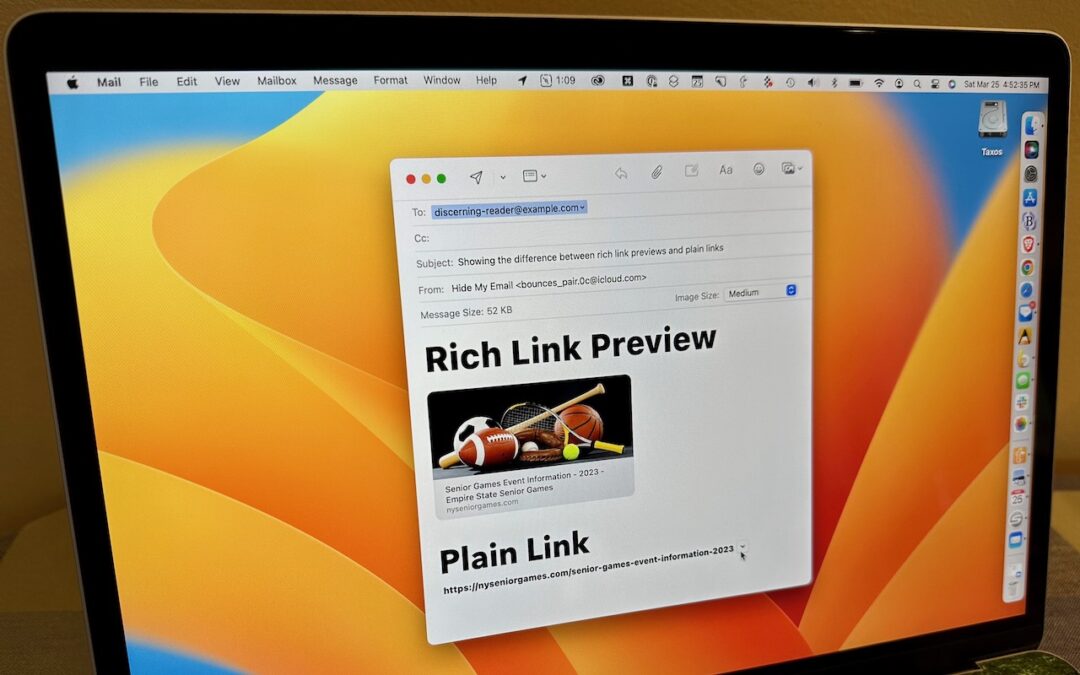
How to Turn Mail’s Rich Website Previews into Plain Links
Annoyed by how Apple’s Mail on the Mac turns pasted URLs into rich link previews? We offer three ways to avoid them.
Super insightful and fresh perspective.
Well explained and easy to follow.
So glad I stumbled upon this.
Looking forward to your next post!
Truly a masterpiece of content.