
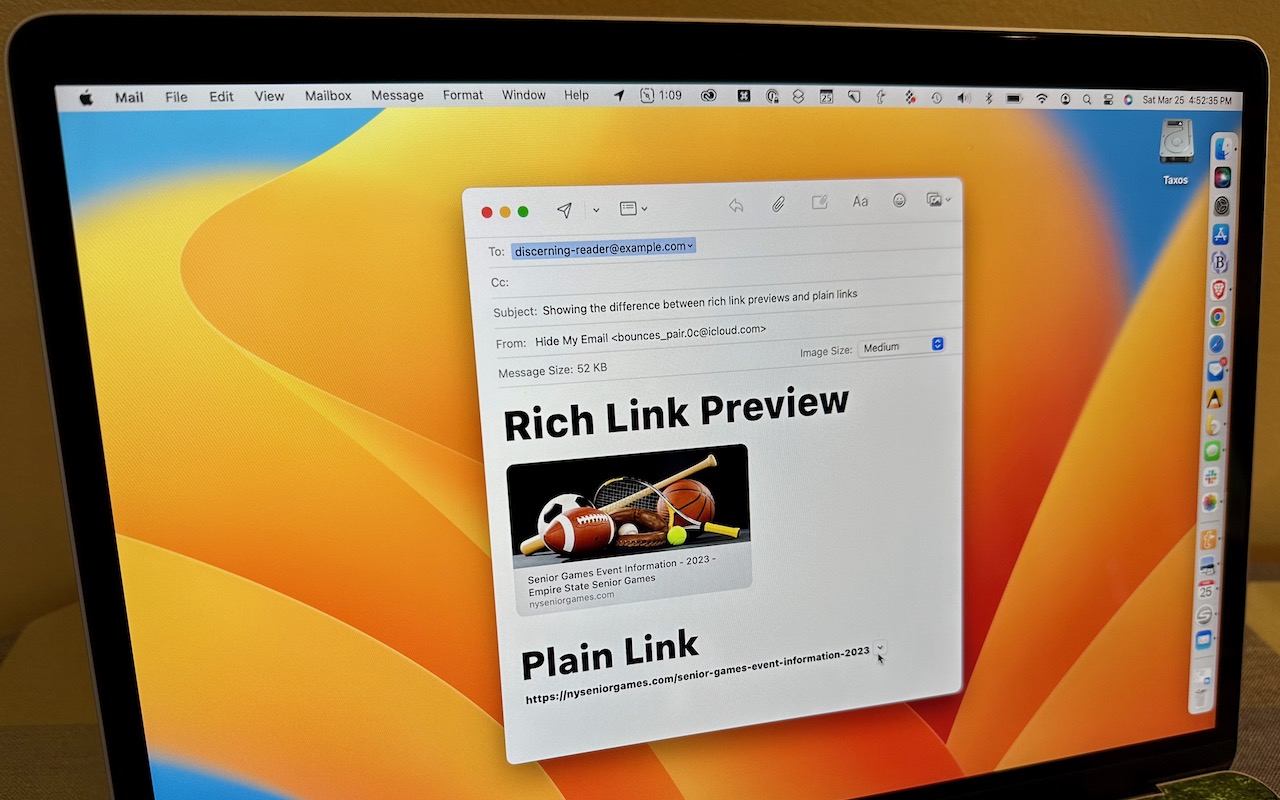
Sometimes apps can be too helpful. Apple’s Mail on the Mac likes to turn pasted URLs into graphically rich previews, which look really nice, and sometimes those previews are OK. But other times, the preview is confusing or takes up too much space. Or you may want to send a plain link so the recipient can see its text. There are three ways to avoid rich link previews:
- Before pasting a URL into your message, type a space or any other text. Mail converts URLs to rich previews only when they’re on a line by themselves.
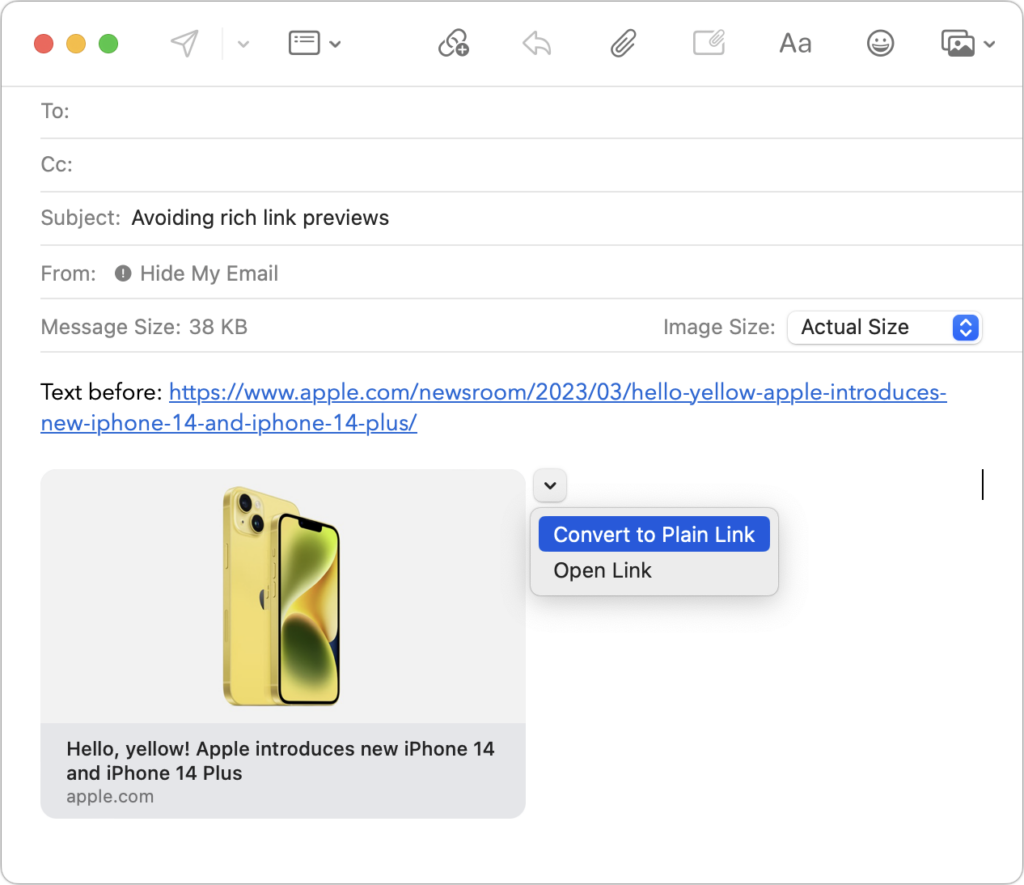
- Hover over the preview, click the down-pointing arrow that appears, and choose Convert to Plain Link from the pop-up menu.
- In Mail > Settings > Composing, change the Message Format pop-up menu to Plain Text. Although this eliminates rich link previews, it also prevents you from including formatting and images.
(Featured image by Adam Engst)

A week might be too short if IT approval is still pending. I'd treat "keeping your old iPhone for a…
Awesome tech breakdown on "When Should You Upgrade to macOS 27 Golden Gate, iOS 27, iPadOS 27, watchOS 27, tvOS…
I’ve used Chrome’s built-in screenshot tool, but opening DevTools every time gets a bit tedious. I recommend FullPage Capture, it’s…
This is such an important reminder. I've been in meetings where an AI notetaker silently joined and recorded everything, and…
Awesome tech breakdown on "When Should You Upgrade to macOS 27 Golden Gate, iOS 27, iPadOS 27, watchOS 27, tvOS…