
The Austin MacWorks Official Blog

Ever Wanted to Get a Custom Email Address? Here’s How (and Why)
Setting up a custom email address with your own domain isn’t that hard or expensive, and it gives you independence from your ISP, employer, or the sketchy email provider you signed up with after college. Here’s how you can switch.

Need to Clear Space on an iPhone or iPad? Here’s How to Do It in iOS 12
Struggling with too little space on your iPhone or iPad? In iOS 12, Apple provides highly effective tools for clearing more space—read on for details!

Choose between Archiving and Deleting Messages in iOS Mail
When you’re viewing a message in Mail on an iPhone or iPad, you get five buttons: Flag, Move, Archive or Delete, Reply/Forward/Print, and New Message. But what determines whether that third button is Archive or Delete?

Collaborate with Colleagues in Pages, Numbers, and Keynote
Did you know that you can use Apple’s Pages, Numbers, and Keynote to work on documents collaboratively with others, even if they don’t use Apple devices? Read on for how to get started with the collaboration features of these apps.

Gone Phishing: Five Signs That Identify Scam Email Messages
Would you or your employees click a login link in email or open an attachment from an unknown sender? Phishing—forged email designed to extract private information—is one of the greatest threats to business today.
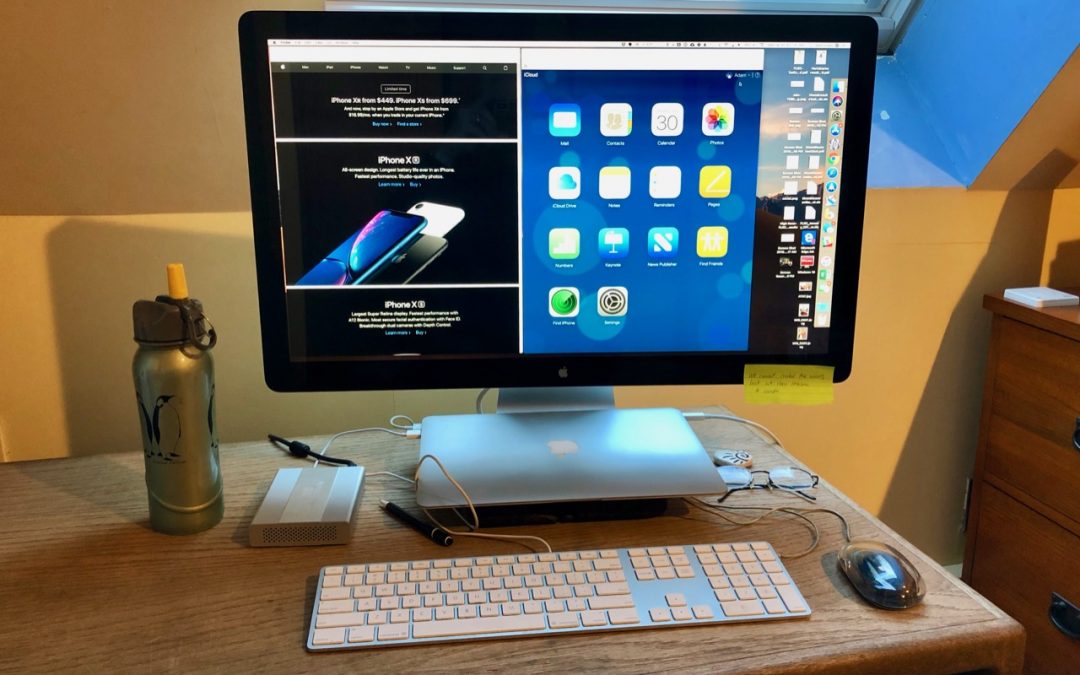
Did You Know You Can Use Your Mac Laptop Closed with an External Screen and Keyboard?
The trick to enabling closed-display mode is that your Mac must be plugged into an AC outlet and you must connect an external keyboard and mouse or trackpad
Super insightful and fresh perspective.
Well explained and easy to follow.
So glad I stumbled upon this.
Looking forward to your next post!
Truly a masterpiece of content.