Ever wanted to show a remote friend how to do something on your iPhone rather than talk them through it, step by step? The screen recording feature of iOS is just what the tech support doctor ordered. Learn how to record your screen.


Ever wanted to show a remote friend how to do something on your iPhone rather than talk them through it, step by step? The screen recording feature of iOS is just what the tech support doctor ordered. Learn how to record your screen.

Just because iOS can’t recognize it doesn’t mean you have to memorize the number temporarily or flip back and forth to the Phone app to type it in it.

It’s tempting to buy cheap Lightning and USB-C cables, but it can be a false economy if that inexpensive cable fries your iPhone or MacBook. Read on for more about how to keep your cables working for the long run.

There’s no rhyme or reason to the default Dock settings, and you shouldn’t be afraid to add, remove, and rearrange apps on your Dock. Learn more now!

How do you prevent your large Dropbox account from overwhelming the laptop Mac’s available storage?

If your machine is included in the recall, shut it down and stop using it immediately!
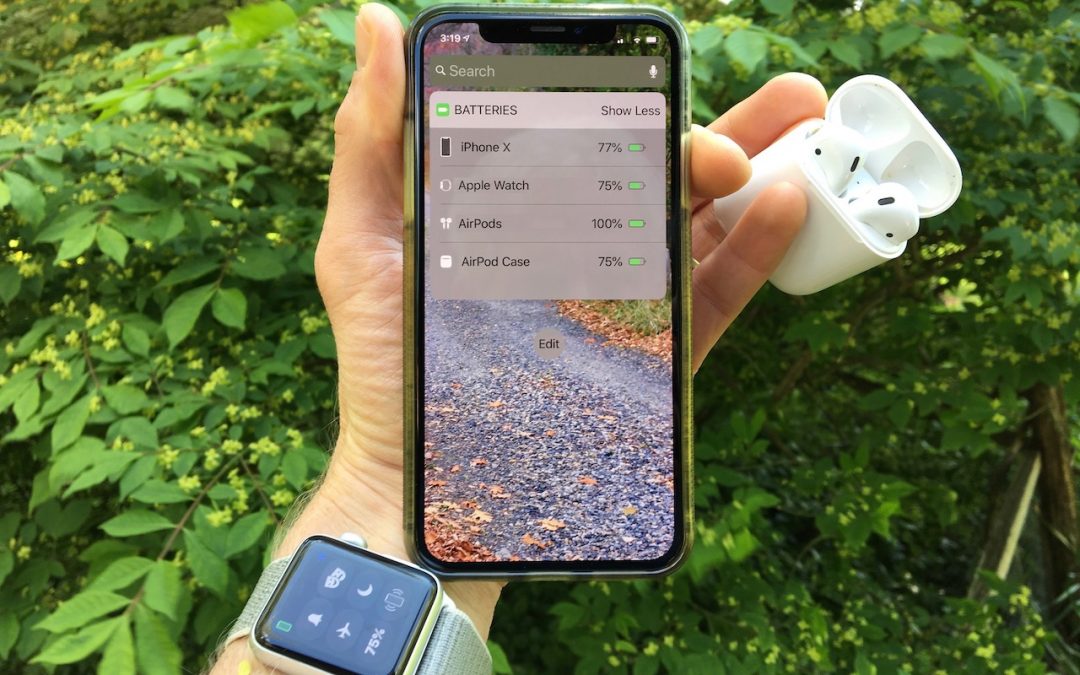
To access an easy way to check the battery level on your iPhone, Apple Watch or AirPods, switch to Today view on the iPhone, accessible by swiping right on the Home screen or Lock screen.

There’s often a quick fix for the myriad ills of modern Web pages: Safari Reader. Learn more now at Austin MacWorks!

If you have a MacBook, MacBook Air from 2018, or MacBook Pro from 2016 on, here’s what you need to know about the trouble-prone butterfly keyboards, including how to get Apple to repair a broken one for free.

On today’s Internet, you must use a password manager like iCloud Keychain, @1Password, or @LastPass to generate, store, and enter strong passwords. Any other approach risks your accounts being hacked. Here’s why a password manager is so important.
Stop by either store and let's see if we can figure it out together!
Stop by either store and let's see if we can figure it out together!
Stop by either store, and we'll be happy to see what we can do to help you.
Stop by either store, and we'll be happy to see what we can do.
Useful read. I have been tinkering with virtual machines on my Mac recently, and this fits neatly into the things…