

Image by Markus Spiske temporausch.com from Pexel
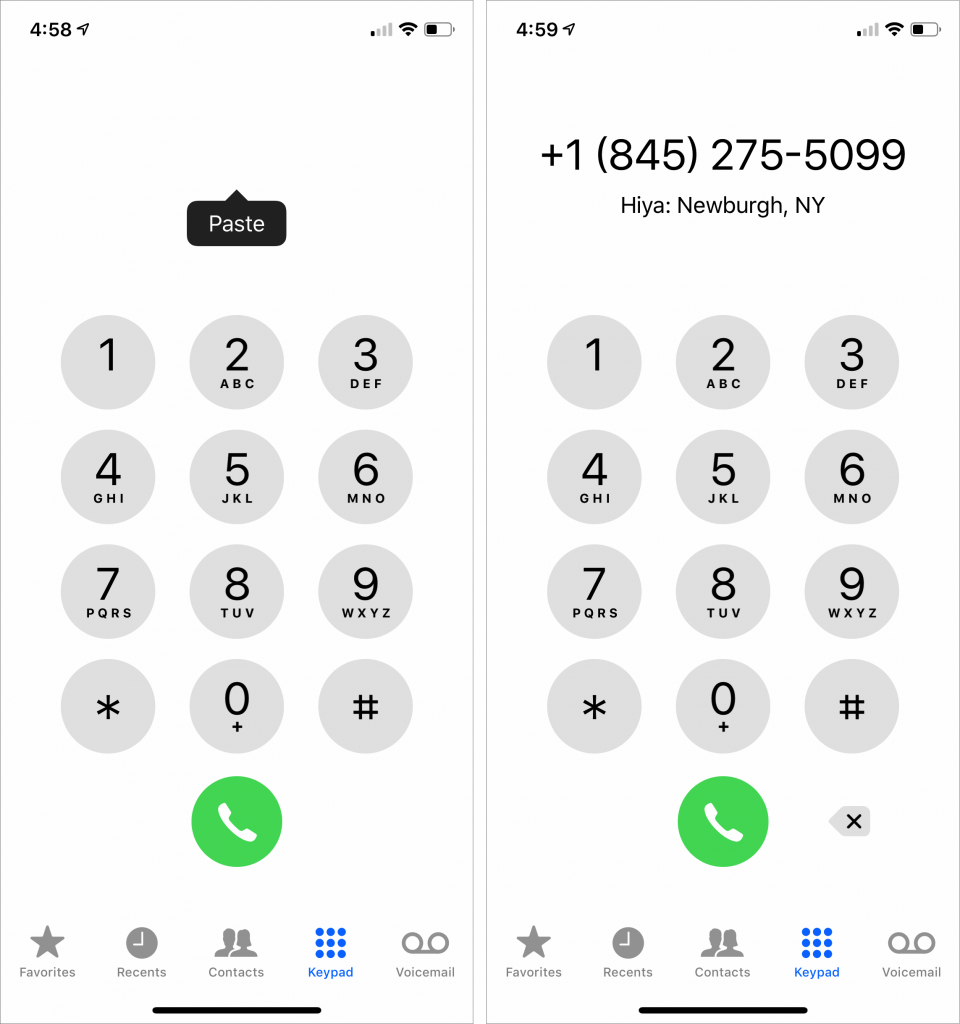
Most iOS apps and many Web sites make phone numbers “hot” so you can tap them to call. But it’s not uncommon to run across a number that’s formatted oddly or broken across a line of text such that it can’t be recognized. Just because iOS can’t recognize it doesn’t mean you have to memorize the number temporarily or flip back and forth to the Phone app to type it in it. Here’s a workaround. Double-tap the start of the phone number to select it, and then drag the rightmost blue handle to extend the selection to the entire number. Tap Copy in the popover that appears to copy it. Then switch to the Phone app, tap Keypad at the bottom, and then tap in the blank white area at the top where typed numbers would appear. When a Paste button appears, tap it, and if the Phone app recognizes the number correctly, tap the green Call button to place the call.

A week might be too short if IT approval is still pending. I'd treat "keeping your old iPhone for a…
Awesome tech breakdown on "When Should You Upgrade to macOS 27 Golden Gate, iOS 27, iPadOS 27, watchOS 27, tvOS…
I’ve used Chrome’s built-in screenshot tool, but opening DevTools every time gets a bit tedious. I recommend FullPage Capture, it’s…
This is such an important reminder. I've been in meetings where an AI notetaker silently joined and recorded everything, and…
Awesome tech breakdown on "When Should You Upgrade to macOS 27 Golden Gate, iOS 27, iPadOS 27, watchOS 27, tvOS…