

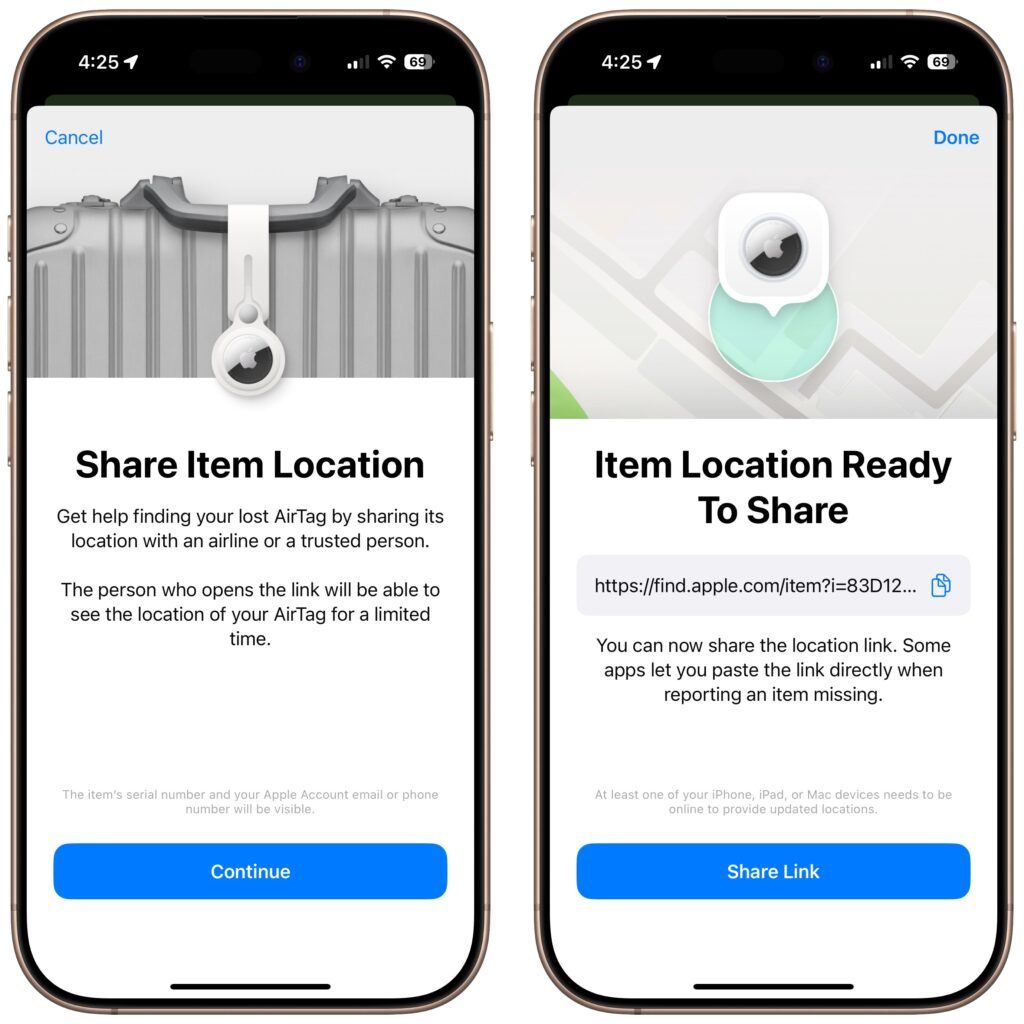
In iOS 18.2, Apple enhanced the Find My app, enabling you to create a temporary Web page that shares the location of a lost AirTag or other Find My-tracked item. You don’t need to know the person’s email address or share any other information, and the link automatically expires after a week. It’s a great way to enlist others in the search for a lost item, but the big win is sharing with an airline to help them track the location of misdirected luggage. It’s easy: open the Find My app, tap Items, select the desired AirTag or other item, tap Share Item Location, and then share the provided link via text message, email, or any other method. The item’s location automatically stops being shared if it’s reunited with you, or you can end sharing manually.
(Featured image by iStock.com/yacobchuk)

A week might be too short if IT approval is still pending. I'd treat "keeping your old iPhone for a…
Awesome tech breakdown on "When Should You Upgrade to macOS 27 Golden Gate, iOS 27, iPadOS 27, watchOS 27, tvOS…
I’ve used Chrome’s built-in screenshot tool, but opening DevTools every time gets a bit tedious. I recommend FullPage Capture, it’s…
This is such an important reminder. I've been in meetings where an AI notetaker silently joined and recorded everything, and…
Awesome tech breakdown on "When Should You Upgrade to macOS 27 Golden Gate, iOS 27, iPadOS 27, watchOS 27, tvOS…