
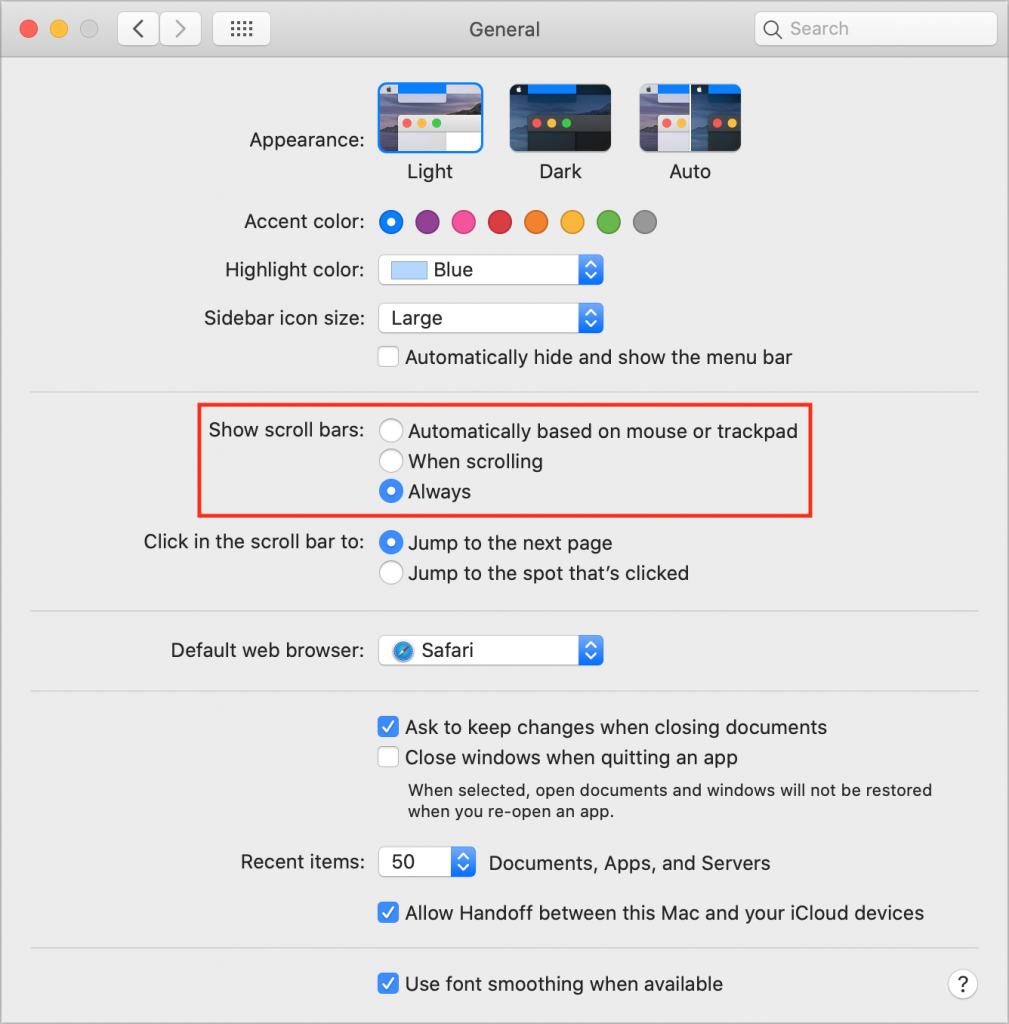
On the Mac, scroll bars are essential for both orienting yourself and navigating within a Web page or document window. But they may not appear unless you hover the pointer over the right spot or start scrolling with a gesture on a trackpad or a turn of a mouse scroll wheel. If that bothers you, go to System Preferences > General and under Show Scroll Bars, select Always. That way, scroll bars will always be visible without you having to guess where they are or perform some incantation to reveal them.
(Featured image by Taylor Wilcox on Unsplash)

Picking one style guide and living with it is the advice I give every time this question comes up, and…
Golden Gate as the macOS 27 codename is a nice callback. For mixed households I'd love a recommendation on the…
Check with your phone service provider.
Do you take orders for the new 18 or is that just at the Apple stores? Thanks
Making Wi-Fi joining as easy as scanning a QR code is exactly the kind of MacWorks tip guests actually use.