
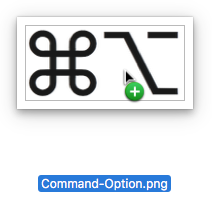
Dragging files and folders around is core to the Mac experience—drag a file from one folder to another to move it, drag a folder from one drive to another to copy it. But did you know that if you hold down the Option key while dragging a file in the Finder, you’ll get a green + pointer and it will make a copy in the destination? That’s easier than duplicating, moving, and renaming the file. Similarly, if you want to move a large folder from one drive to another, hold down the Command key during the drag to do in one step what would otherwise require copying, trashing, and emptying the Trash. Finally, if you want an alias, hold down the Command and Option keys while dragging, and presto, the original stays put and an alias appears in the destination.

Picking one style guide and living with it is the advice I give every time this question comes up, and…
Golden Gate as the macOS 27 codename is a nice callback. For mixed households I'd love a recommendation on the…
Check with your phone service provider.
Do you take orders for the new 18 or is that just at the Apple stores? Thanks
Making Wi-Fi joining as easy as scanning a QR code is exactly the kind of MacWorks tip guests actually use.