

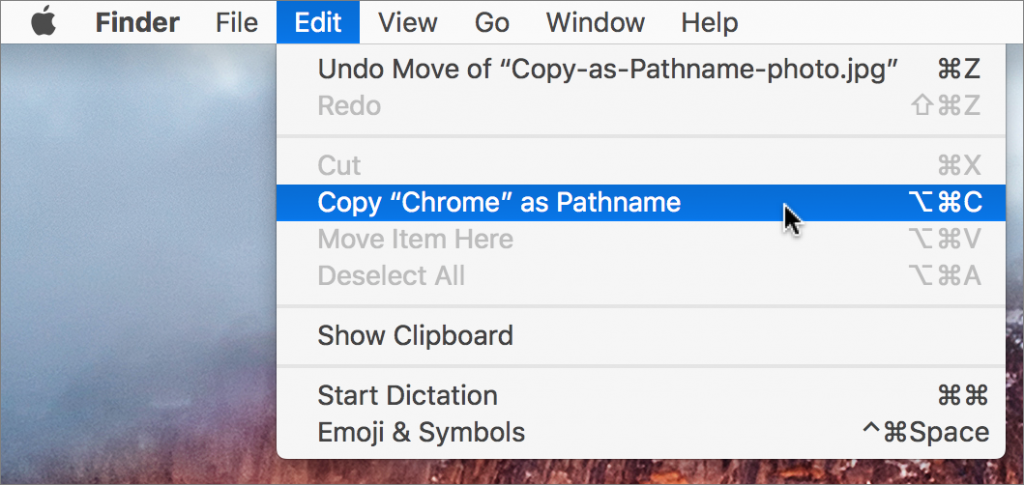
Have you ever needed to write directions for where to find a file on the Mac? That’s easy if it’s in a well-traveled location, like the Music or Pictures folder, but more difficult if it’s in an obscure hidey-hole. Rather than write out instructions like “Look in the Chrome folder inside Google’s Application Support folder in your user Library folder,” select the item in question, hold down the Option key, and choose Edit > Copy “ItemName” as Pathname. (A pathname, or path, is the sequence of nested folders that holds a file or folder, such as /Users/adrian/Library/Application Support/Google/Chrome.) Then paste the path into an email message or word processing document (or wherever you like). You’ll now have the entire thing exactly where you need it, and you don’t have to worry that you’ve accidentally left out a navigational step.

Picking one style guide and living with it is the advice I give every time this question comes up, and…
Golden Gate as the macOS 27 codename is a nice callback. For mixed households I'd love a recommendation on the…
Check with your phone service provider.
Do you take orders for the new 18 or is that just at the Apple stores? Thanks
Making Wi-Fi joining as easy as scanning a QR code is exactly the kind of MacWorks tip guests actually use.