
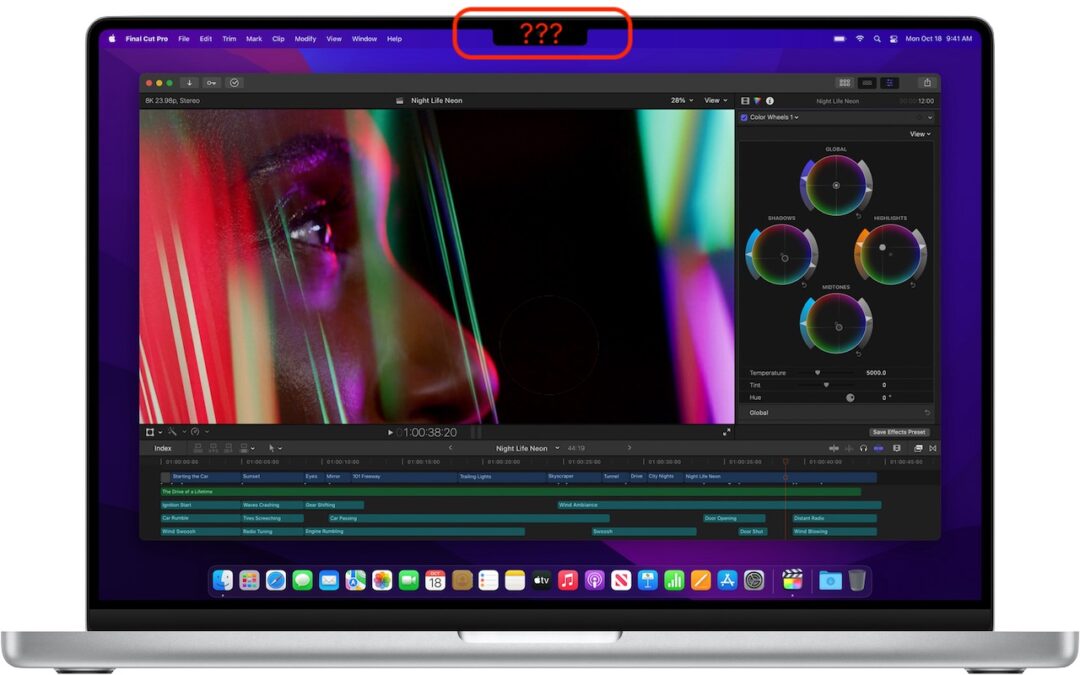
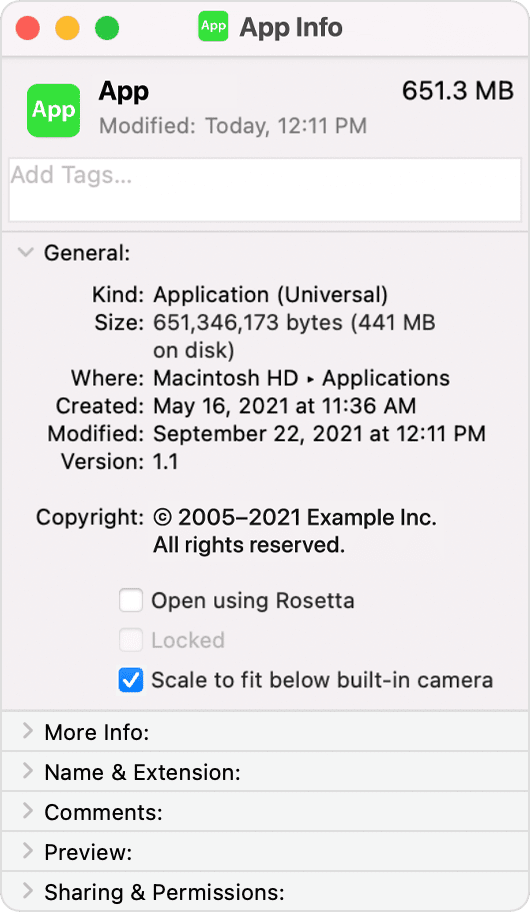
The new 14-inch and 16-inch MacBook Pro models feature a camera housing built into the screen, resulting in a notch like that on the iPhone. Most developers are updating their apps to ensure that no controls or menu bar items appear blocked or hidden by the notch, but if you use an older app that doesn’t play nicely with the notch, there’s a fix. Quit the app if it’s running, select it in the Finder’s Applications folder, and choose File > Get Info. In the Info window that opens, select “Scale to fit below built-in camera.” The active area of the display resizes so everything appears below the notch, slightly reducing the overall screen space. This checkbox won’t appear once the app has been updated to avoid the notch.
(Featured image by Apple)

A week might be too short if IT approval is still pending. I'd treat "keeping your old iPhone for a…
Awesome tech breakdown on "When Should You Upgrade to macOS 27 Golden Gate, iOS 27, iPadOS 27, watchOS 27, tvOS…
I’ve used Chrome’s built-in screenshot tool, but opening DevTools every time gets a bit tedious. I recommend FullPage Capture, it’s…
This is such an important reminder. I've been in meetings where an AI notetaker silently joined and recorded everything, and…
Awesome tech breakdown on "When Should You Upgrade to macOS 27 Golden Gate, iOS 27, iPadOS 27, watchOS 27, tvOS…