
 Image by Vlada Karpovich from Pexels
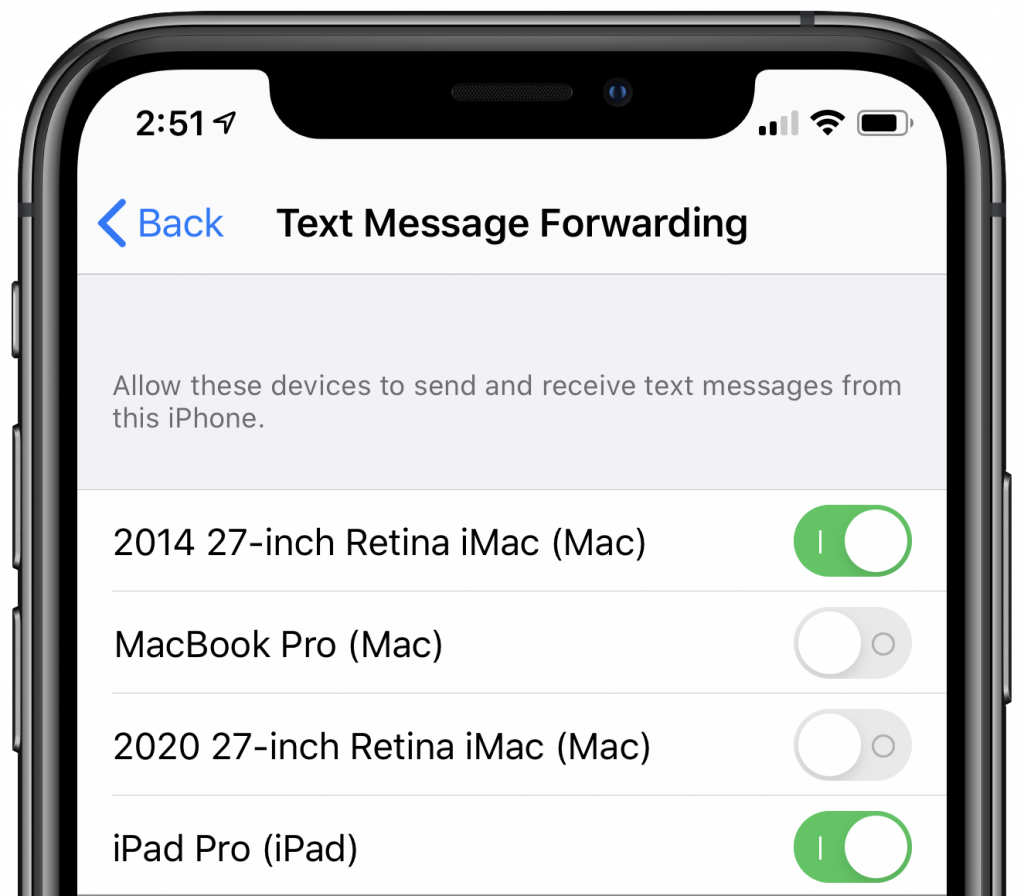
You’ve long had text messages forwarding from your iPhone to your Mac and iPad, but after you get a new device, it might be a while before you realize that it’s not receiving texts sent to your iPhone. It turns out that, when you get a new Apple device, you must manually enable it to receive forwarded texts from your iPhone—the setting is off by default. On your iPhone, go to Settings > Messages > Text Message Forwarding, and flip the switches for the new devices.

A week might be too short if IT approval is still pending. I'd treat "keeping your old iPhone for a…
Awesome tech breakdown on "When Should You Upgrade to macOS 27 Golden Gate, iOS 27, iPadOS 27, watchOS 27, tvOS…
I’ve used Chrome’s built-in screenshot tool, but opening DevTools every time gets a bit tedious. I recommend FullPage Capture, it’s…
This is such an important reminder. I've been in meetings where an AI notetaker silently joined and recorded everything, and…
Awesome tech breakdown on "When Should You Upgrade to macOS 27 Golden Gate, iOS 27, iPadOS 27, watchOS 27, tvOS…