
 Image by Startaê Team on Unsplash
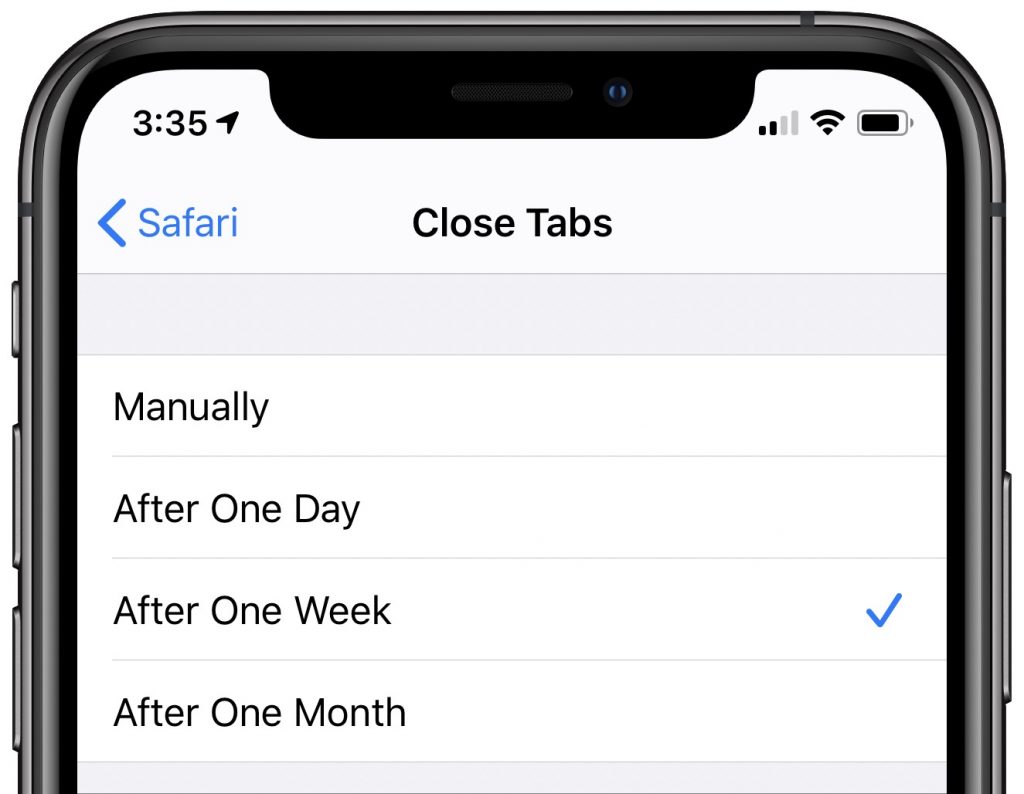
Whenever you tap a link to open a Web page on your iPhone or iPad, it automatically opens a new tab. Having hundreds of tabs open won’t cause any problems but can make working with tabs clumsy. You can close all tabs—touch and hold the tab button and then tap Close All X Tabs—but you might prefer to prevent them from building up in the first place. To do that in iOS 13, navigate to Settings > Safari > Close Tabs and choose from Manually, After One Day, After One Week, or After One Month.

A week might be too short if IT approval is still pending. I'd treat "keeping your old iPhone for a…
Awesome tech breakdown on "When Should You Upgrade to macOS 27 Golden Gate, iOS 27, iPadOS 27, watchOS 27, tvOS…
I’ve used Chrome’s built-in screenshot tool, but opening DevTools every time gets a bit tedious. I recommend FullPage Capture, it’s…
This is such an important reminder. I've been in meetings where an AI notetaker silently joined and recorded everything, and…
Awesome tech breakdown on "When Should You Upgrade to macOS 27 Golden Gate, iOS 27, iPadOS 27, watchOS 27, tvOS…