

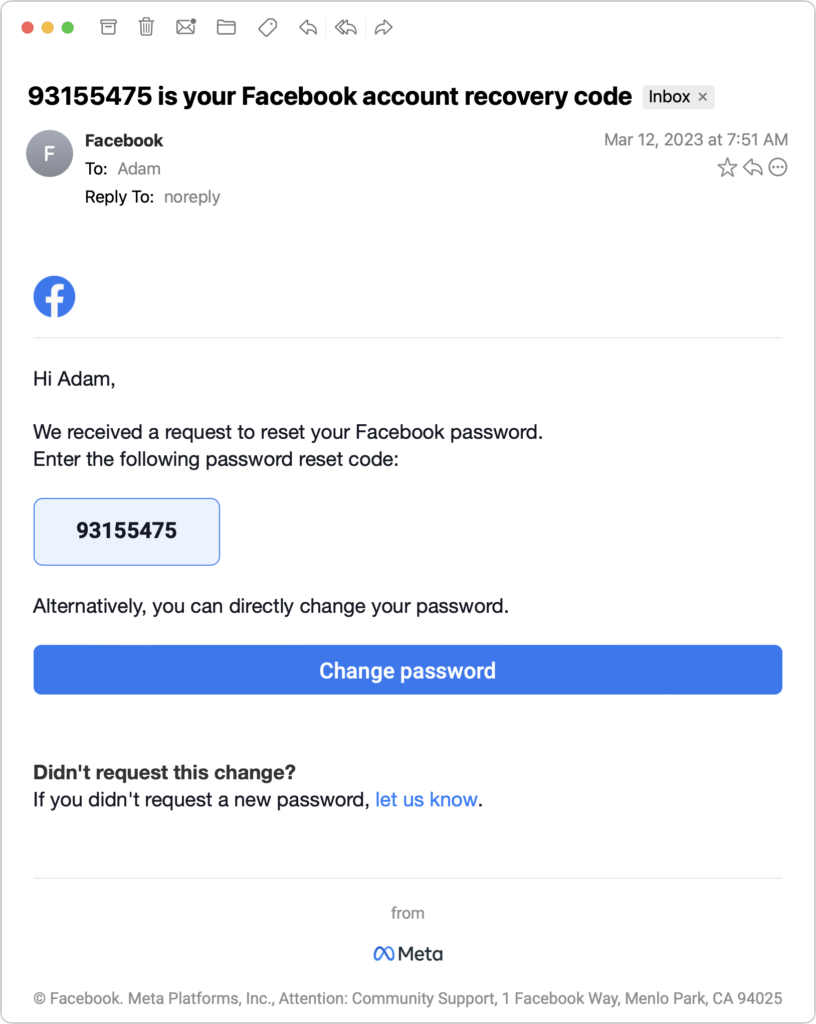
We’ve seen an uptick in attacks on Facebook accounts that generate email messages like the one below. It’s saying someone is attempting to reset your Facebook password in order to access your account. If you didn’t ask to reset your Facebook password within the past 5 minutes, do not enter the provided code! In fact, do nothing with a message like this, since you can’t easily tell if it’s a legitimate message from Facebook or a phishing attack. As long as your email account hasn’t been compromised, you have nothing to worry about, but consider any such messages as encouragement to have strong, unique passwords for your email account and any social media services. Also, we highly recommend turning on two-factor authentication for these accounts. Of course, if you get a second message saying that your password was reset, immediately secure your account.
(Featured image by iStock.com/Nicholas77)

A week might be too short if IT approval is still pending. I'd treat "keeping your old iPhone for a…
Awesome tech breakdown on "When Should You Upgrade to macOS 27 Golden Gate, iOS 27, iPadOS 27, watchOS 27, tvOS…
I’ve used Chrome’s built-in screenshot tool, but opening DevTools every time gets a bit tedious. I recommend FullPage Capture, it’s…
This is such an important reminder. I've been in meetings where an AI notetaker silently joined and recorded everything, and…
Awesome tech breakdown on "When Should You Upgrade to macOS 27 Golden Gate, iOS 27, iPadOS 27, watchOS 27, tvOS…