
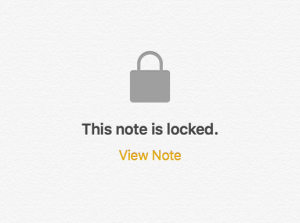
Locked Note iOS 9.3
In Apple’s new iOS 9.3 iPhone and iPad operating software, you can now lock private notes in the Notes app. Maybe you want to secure banking or health information or other personal data.
It’s simple:
- Assuming this is the first time you’re using this functionality, you’ll need to set up a Notes-specific password.
- Launch settings, then go to Notes > Password
- Selecting a note you’d like to protect with a password or Touch ID.
- Tap on the share button in the upper-right hand corner.
- Select Lock Note from the list of options.
After you lock the note, don’t forget to click on the open lock icon next to the Share icon so that it’s closed. And please note that you can’t access any secured notes on non-iOS 9.3 or Mac OS X 10.11.4 devices.
Other improvements
The Notes app got a few other improvements, also. You can now sort notes alphabetically or by date created/edited. You can start a New Sketch with a two-finger swipe left, and you can now choose whether photos and videos gets stored only in Notes and not added to Photos. For Evernote fans, iOS 9.3 Notes now offers a way to easily import from Evernote. Just long-press on the Evernote Export file to import its contents into Notes.

A week might be too short if IT approval is still pending. I'd treat "keeping your old iPhone for a…
Awesome tech breakdown on "When Should You Upgrade to macOS 27 Golden Gate, iOS 27, iPadOS 27, watchOS 27, tvOS…
I’ve used Chrome’s built-in screenshot tool, but opening DevTools every time gets a bit tedious. I recommend FullPage Capture, it’s…
This is such an important reminder. I've been in meetings where an AI notetaker silently joined and recorded everything, and…
Awesome tech breakdown on "When Should You Upgrade to macOS 27 Golden Gate, iOS 27, iPadOS 27, watchOS 27, tvOS…