
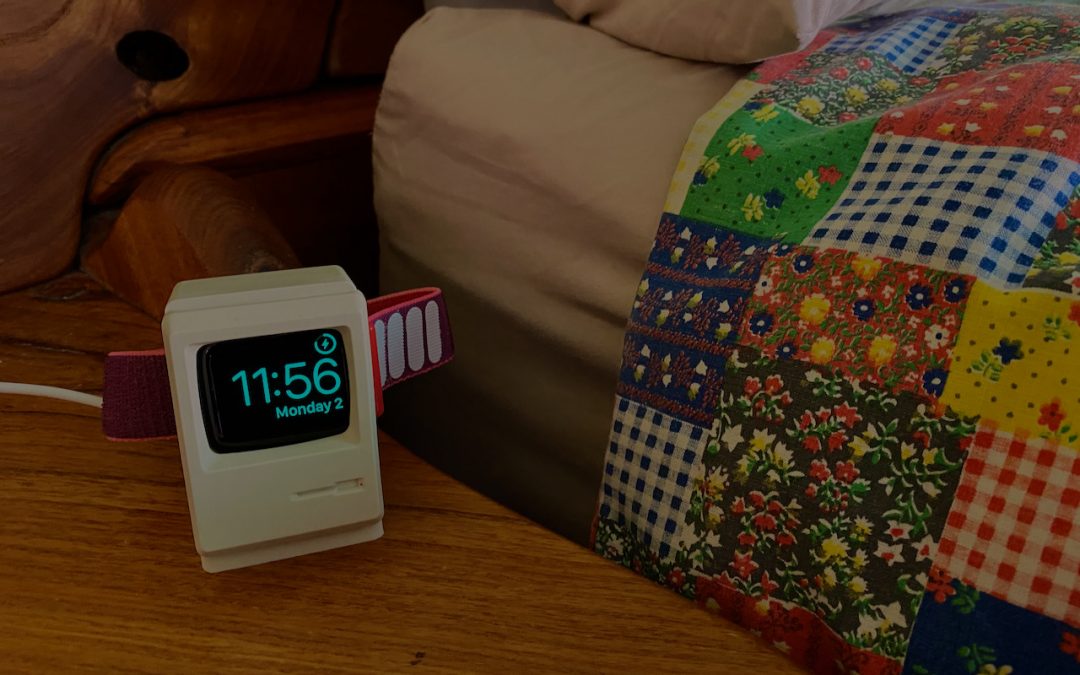
Most Apple Watch users charge their watch every night, putting it on a charger as part of a bedtime routine. If that’s you, make sure you’re not missing one of the Apple Watch’s best features: nightstand mode. When you enable it in the iPhone’s Watch app, in General > Nightstand Mode, a charging Apple Watch displays the charging status, current time and date (in a large, easily readable font), and the time of any alarm you’ve set. It uses a green color that won’t shock your eyes in the middle of the night, and after a minute, the screen goes completely dark. To see it again, tap the watch or—even better!—the surface it’s on. The screen lights up for 10 seconds before going dark again. (And yes, we love the little classic Mac stand.)
(Featured image by Adam Engst)

A week might be too short if IT approval is still pending. I'd treat "keeping your old iPhone for a…
Awesome tech breakdown on "When Should You Upgrade to macOS 27 Golden Gate, iOS 27, iPadOS 27, watchOS 27, tvOS…
I’ve used Chrome’s built-in screenshot tool, but opening DevTools every time gets a bit tedious. I recommend FullPage Capture, it’s…
This is such an important reminder. I've been in meetings where an AI notetaker silently joined and recorded everything, and…
Awesome tech breakdown on "When Should You Upgrade to macOS 27 Golden Gate, iOS 27, iPadOS 27, watchOS 27, tvOS…