

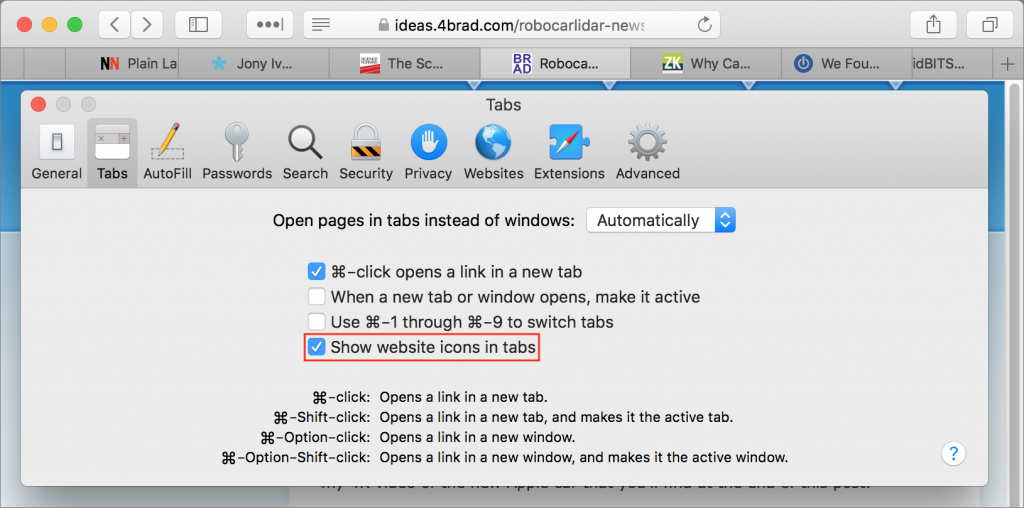
Do you end up with so many tabs in Safari that it becomes impossible to read the truncated tab titles? There’s no shame in that, and Safari 12—which comes with macOS 10.14 Mojave and is a free update for 10.12 Sierra and 10.13 High Sierra—now offers an option to add an icon representing the Web site to each open tab. Called a favicon, this tiny image is usually carefully designed to identify its site and makes it easier to pick out the tab. To enable the feature, open Safari > Preferences > Tabs and select “Show website icons in tabs.” Unlike other Web browsers, Safari never shrinks a regular tab to just the icon, so you’ll always see the icon and some text.

A week might be too short if IT approval is still pending. I'd treat "keeping your old iPhone for a…
Awesome tech breakdown on "When Should You Upgrade to macOS 27 Golden Gate, iOS 27, iPadOS 27, watchOS 27, tvOS…
I’ve used Chrome’s built-in screenshot tool, but opening DevTools every time gets a bit tedious. I recommend FullPage Capture, it’s…
This is such an important reminder. I've been in meetings where an AI notetaker silently joined and recorded everything, and…
Awesome tech breakdown on "When Should You Upgrade to macOS 27 Golden Gate, iOS 27, iPadOS 27, watchOS 27, tvOS…