
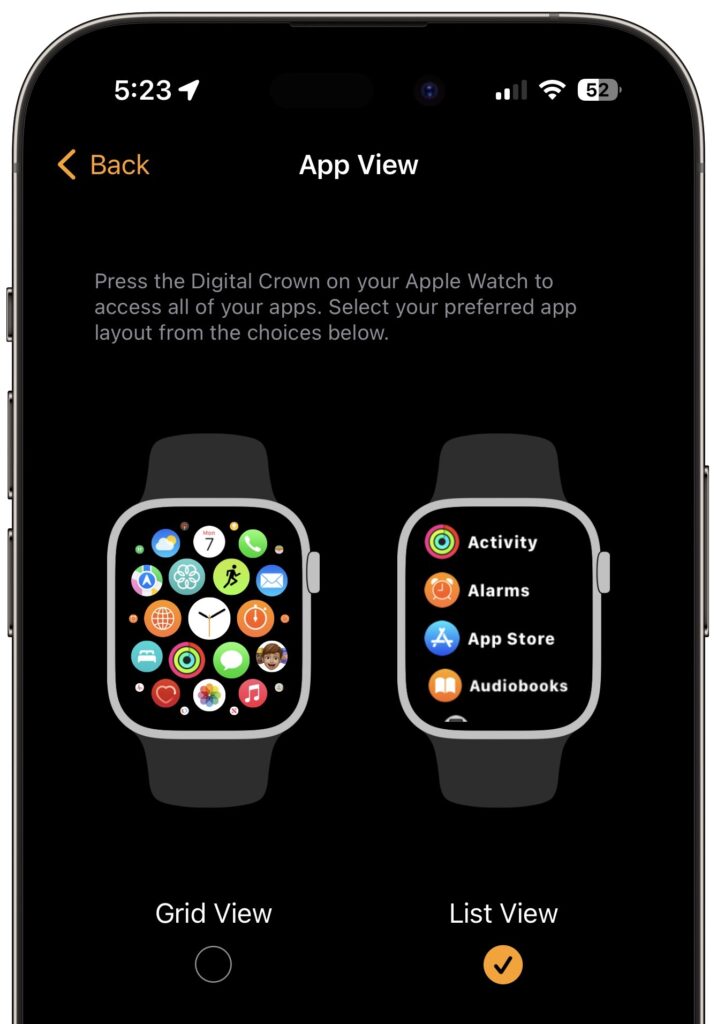
With the original version of the Apple Watch, Apple introduced “grid” view, which shows tiny icons for each app in a random circular pattern, making them difficult to find for most people. Happily, at some point, Apple relented and gave us the more sensible list view, which shows all the apps—with their names—sorted alphabetically. If your Apple Watch shows apps in grid view when you press the Digital Crown, fix it by opening the Watch app on your iPhone, tapping App View, and selecting List View. You can also do this on the watch itself in the Settings app.
(Featured image by Adam Engst)

Picking one style guide and living with it is the advice I give every time this question comes up, and…
Golden Gate as the macOS 27 codename is a nice callback. For mixed households I'd love a recommendation on the…
Check with your phone service provider.
Do you take orders for the new 18 or is that just at the Apple stores? Thanks
Making Wi-Fi joining as easy as scanning a QR code is exactly the kind of MacWorks tip guests actually use.