

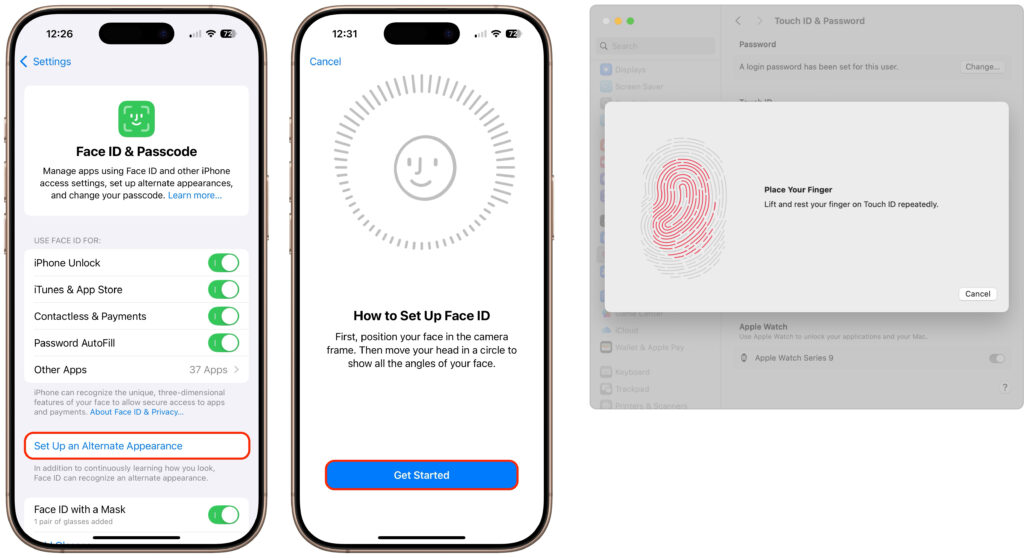
It’s only safe to share your iPhone, iPad, and Mac passcodes and passwords with people you trust completely, which typically includes family members whom you would trust with your healthcare and bank accounts. If those people also use your devices regularly, you can simplify their access by adding their fingerprint to Touch ID or their face to Face ID. Touch ID allows you to add up to five fingerprints, while Face ID provides an option for a second face. Both can be easily set up in Settings > Face/Touch ID & Passcode (iPhone and iPad) and System Settings > Touch ID & Password (Mac).
(Featured image by iStock.com/Giulio Fornasar)

Useful walkthrough. The concrete examples made the workflow much easier to follow.
Saved my day
The note that Rosetta isn’t automatically restored after the macOS 27 Golden Gate upgrade is the part that would catch…
Useful note that Live Text needs an A12 Bionic or later on iPhone and iPad but works on any Mac…
Just found text to game by Tuvimo and it actually works for quick browser fun. Makes me want to revisit…