
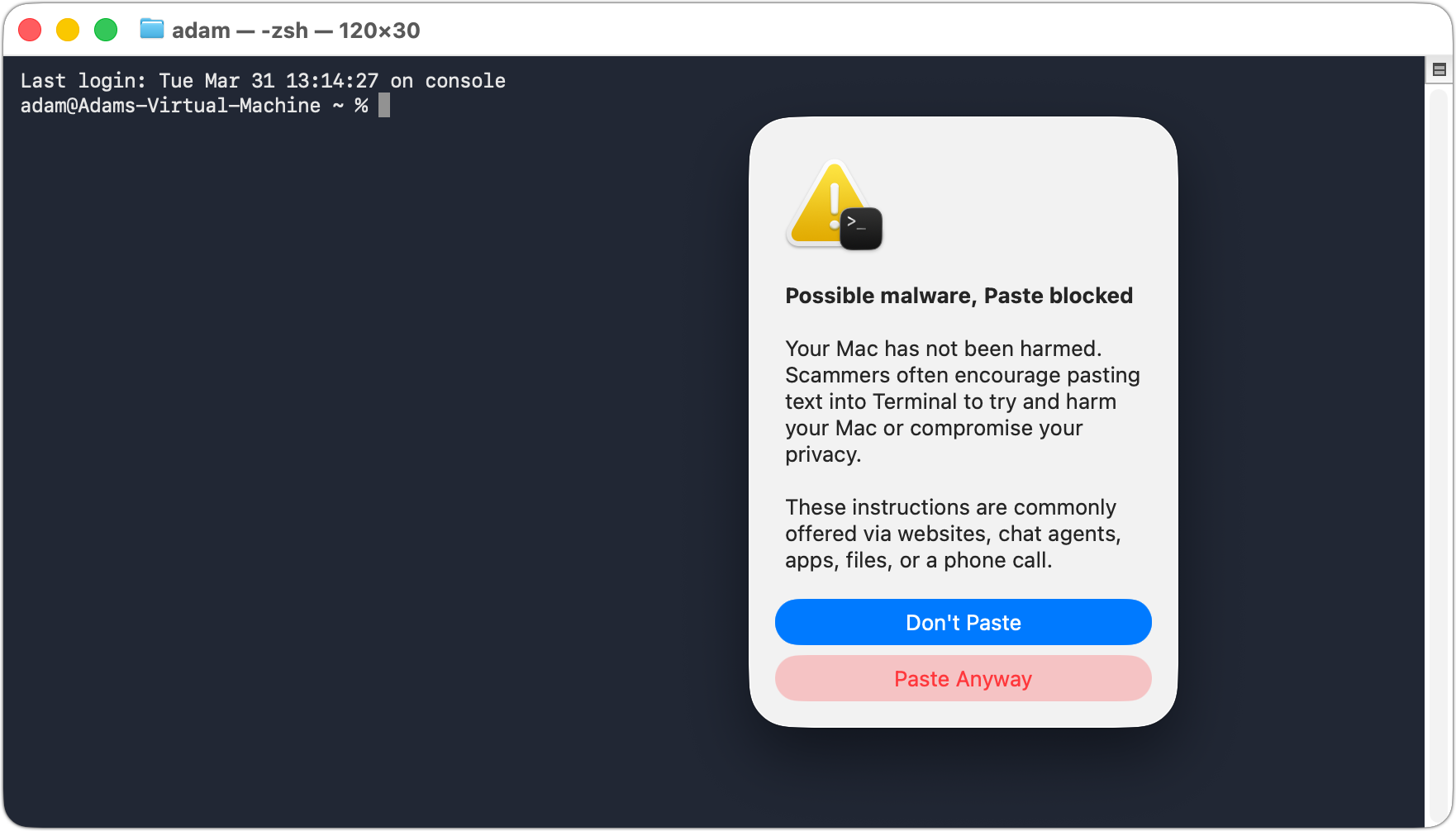
We’ve warned before about scams that trick users into pasting malicious commands into Terminal. Attackers create fake CAPTCHA pages—often resembling Cloudflare’s “are you a human” tests—that instruct visitors to open Terminal, paste a command, and press Return. Because the user executes the command themselves, macOS’s security protections are bypassed. Malwarebytes recently documented a macOS infostealer called Infiniti Stealer that spreads this way, stealing Keychain passwords, browser credentials, and cryptocurrency wallets. These attacks have become common enough that Apple has added a warning in macOS 26.4 Tahoe that appears when a user pastes a potentially dangerous command from Safari into Terminal. The protection is still in its early days—in our testing, the warning dialog appeared only once, with subsequent attempts producing only a beep. Worse, if you allow the first paste, Terminal keeps allowing pastes without further warnings. It’s a step in the right direction, but don’t count on it yet. The core advice remains: never paste commands into Terminal from websites unless you trust the site and fully understand what it does. No legitimate CAPTCHA ever requires Terminal commands!
(Featured image by iStock.com/thomaguery)

A week might be too short if IT approval is still pending. I'd treat "keeping your old iPhone for a…
Awesome tech breakdown on "When Should You Upgrade to macOS 27 Golden Gate, iOS 27, iPadOS 27, watchOS 27, tvOS…
I’ve used Chrome’s built-in screenshot tool, but opening DevTools every time gets a bit tedious. I recommend FullPage Capture, it’s…
This is such an important reminder. I've been in meetings where an AI notetaker silently joined and recorded everything, and…
Awesome tech breakdown on "When Should You Upgrade to macOS 27 Golden Gate, iOS 27, iPadOS 27, watchOS 27, tvOS…