

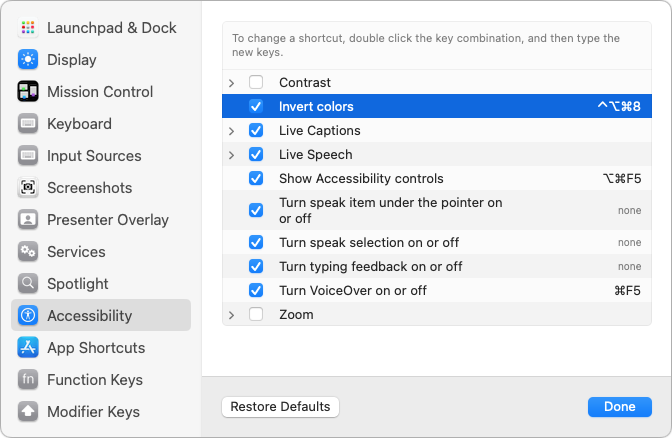
Keyboard shortcuts are a productivity win, but they can cause confusion if something unexpected happens when you inadvertently press some system-wide key combination. For instance, you might be quite surprised if you accidentally press Control-Option-Command-8 and all the colors on your Mac screen suddenly invert. Freaky! Although Apple has pages listing shortcuts and the KeyCue utility can list them all for any app, a good way to see—and manage—what’s active on any Mac is to open System Settings > Keyboard > Keyboard Shortcuts (look in the same place in System Preferences in macOS 12 Monterey and earlier) and scan the categories. Disable shortcuts you’ll never use by deselecting their check boxes, and redefine others so you’ll remember them.
(Featured image by iStock.com/spaxiax)

Picking one style guide and living with it is the advice I give every time this question comes up, and…
Golden Gate as the macOS 27 codename is a nice callback. For mixed households I'd love a recommendation on the…
Check with your phone service provider.
Do you take orders for the new 18 or is that just at the Apple stores? Thanks
Making Wi-Fi joining as easy as scanning a QR code is exactly the kind of MacWorks tip guests actually use.