

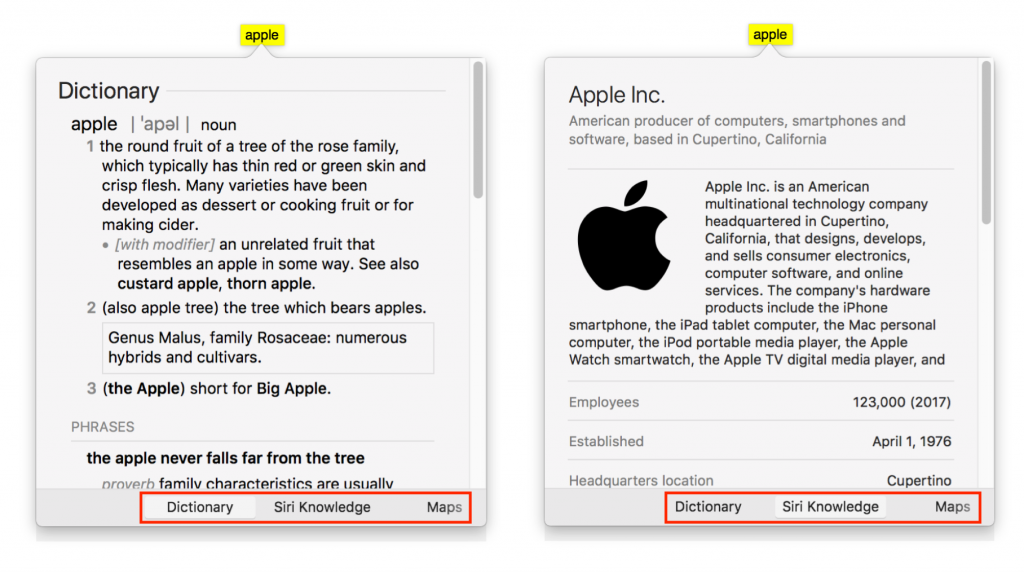
Apple makes it easy to look up information about any word you can see on your Mac, in nearly any app. To access this information, Control- or right-click the word and choose Look Up “word”, use the trackpad to tap the word with three fingers, or hover the pointer over it and press Command-Control-D. macOS displays a popover with a dictionary definition. And in 10.12 Sierra and later, you can also swipe right with two fingers on the trackpad (or click the buttons at the bottom) to see much more in the popover, including Wikipedia entries, apps, news, sports info, movies, TV shows, music, maps, Twitter accounts, and more. Give it a try a few times, and it might become a habit!

Picking one style guide and living with it is the advice I give every time this question comes up, and…
Golden Gate as the macOS 27 codename is a nice callback. For mixed households I'd love a recommendation on the…
Check with your phone service provider.
Do you take orders for the new 18 or is that just at the Apple stores? Thanks
Making Wi-Fi joining as easy as scanning a QR code is exactly the kind of MacWorks tip guests actually use.