

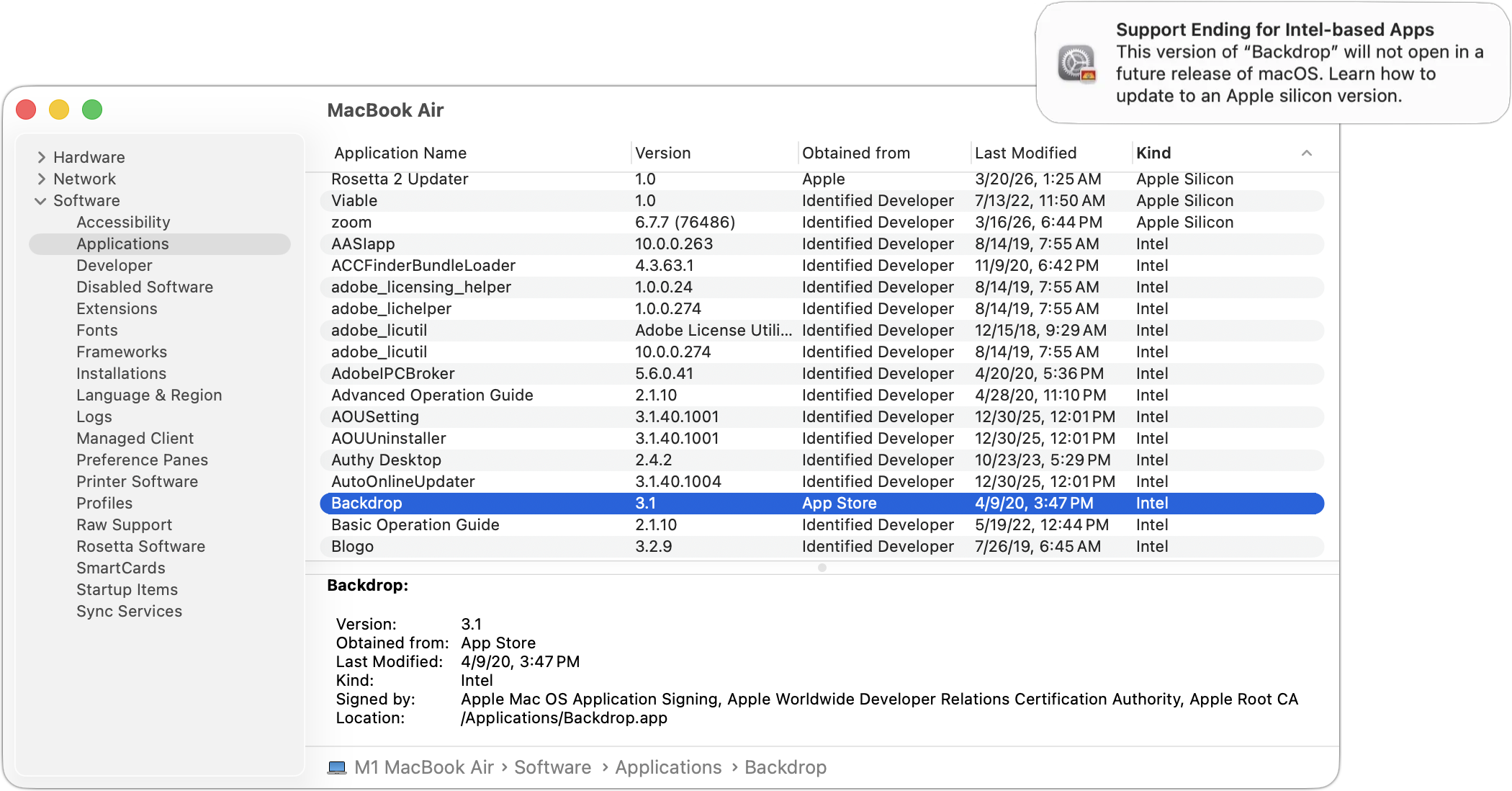
Yes, we know we’re still on macOS 26. In 2025, Apple announced macOS 27 would be the last version to support Rosetta for most Intel-based apps. (Beyond that, Apple will maintain a subset of Rosetta functionality for older, unmaintained gaming titles.) This fact has become relevant because in the just-released macOS 26.4, when you launch apps that rely on Rosetta for Intel compatibility, macOS may start warning you that they won’t open in a future version of macOS. These warnings are just reminders—nothing will change until you upgrade to macOS 28, probably in late 2027 or 2028, giving you plenty of time to find replacements. To identify Intel-based apps now, open System Information from the Utilities folder in your Applications folder, select Applications in the sidebar, and click the Kind column header to sort all your Intel apps together. iMazing’s free Silicon app does the same thing with a nicer interface—ask us for more details.
(Featured image based on an original by iStock.com/Kurgenc)

A week might be too short if IT approval is still pending. I'd treat "keeping your old iPhone for a…
Awesome tech breakdown on "When Should You Upgrade to macOS 27 Golden Gate, iOS 27, iPadOS 27, watchOS 27, tvOS…
I’ve used Chrome’s built-in screenshot tool, but opening DevTools every time gets a bit tedious. I recommend FullPage Capture, it’s…
This is such an important reminder. I've been in meetings where an AI notetaker silently joined and recorded everything, and…
Awesome tech breakdown on "When Should You Upgrade to macOS 27 Golden Gate, iOS 27, iPadOS 27, watchOS 27, tvOS…