
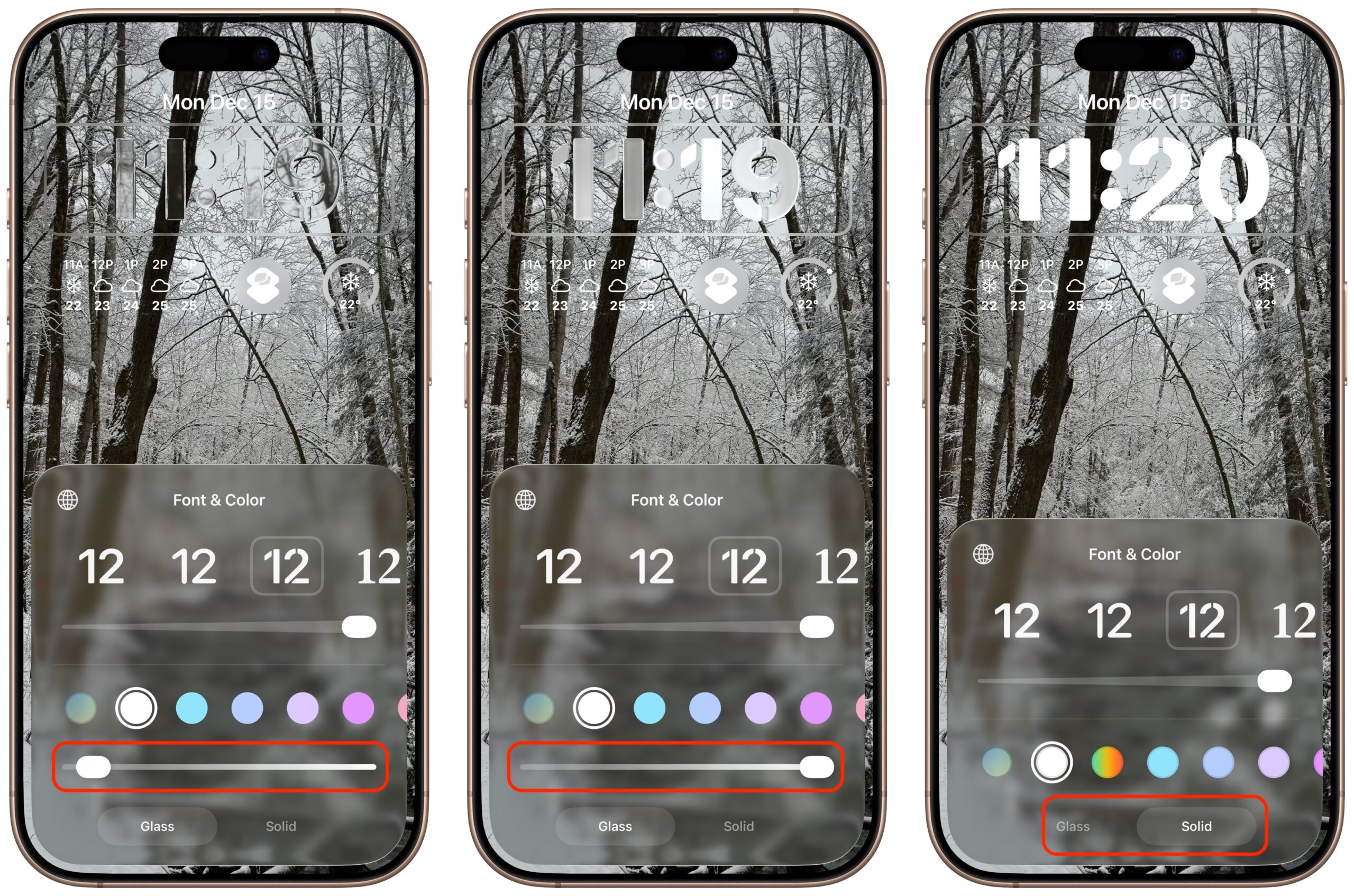
One place where the Liquid Glass transparency in iOS 26 and iPadOS 26 can be annoying is the time display on the Lock Screen. Liquid Glass tries—but often fails—to adjust the clock’s transparency so it’s readable over whatever photo you chose or the Photo Shuffle option displayed. Starting in iOS 26.2 and iPadOS 26.2, you can manually adjust the clock’s transparency: touch and hold the Lock Screen, tap Customize, tap the clock, tap Glass, and drag the Transparency slider (left and middle). If it’s still not readable enough, you can switch to the previously available Solid view (right).
(Featured image by iStock.com/Wavebreakmedia)

A week might be too short if IT approval is still pending. I'd treat "keeping your old iPhone for a…
Awesome tech breakdown on "When Should You Upgrade to macOS 27 Golden Gate, iOS 27, iPadOS 27, watchOS 27, tvOS…
I’ve used Chrome’s built-in screenshot tool, but opening DevTools every time gets a bit tedious. I recommend FullPage Capture, it’s…
This is such an important reminder. I've been in meetings where an AI notetaker silently joined and recorded everything, and…
Awesome tech breakdown on "When Should You Upgrade to macOS 27 Golden Gate, iOS 27, iPadOS 27, watchOS 27, tvOS…