
 Image by cottonbro from Pexels
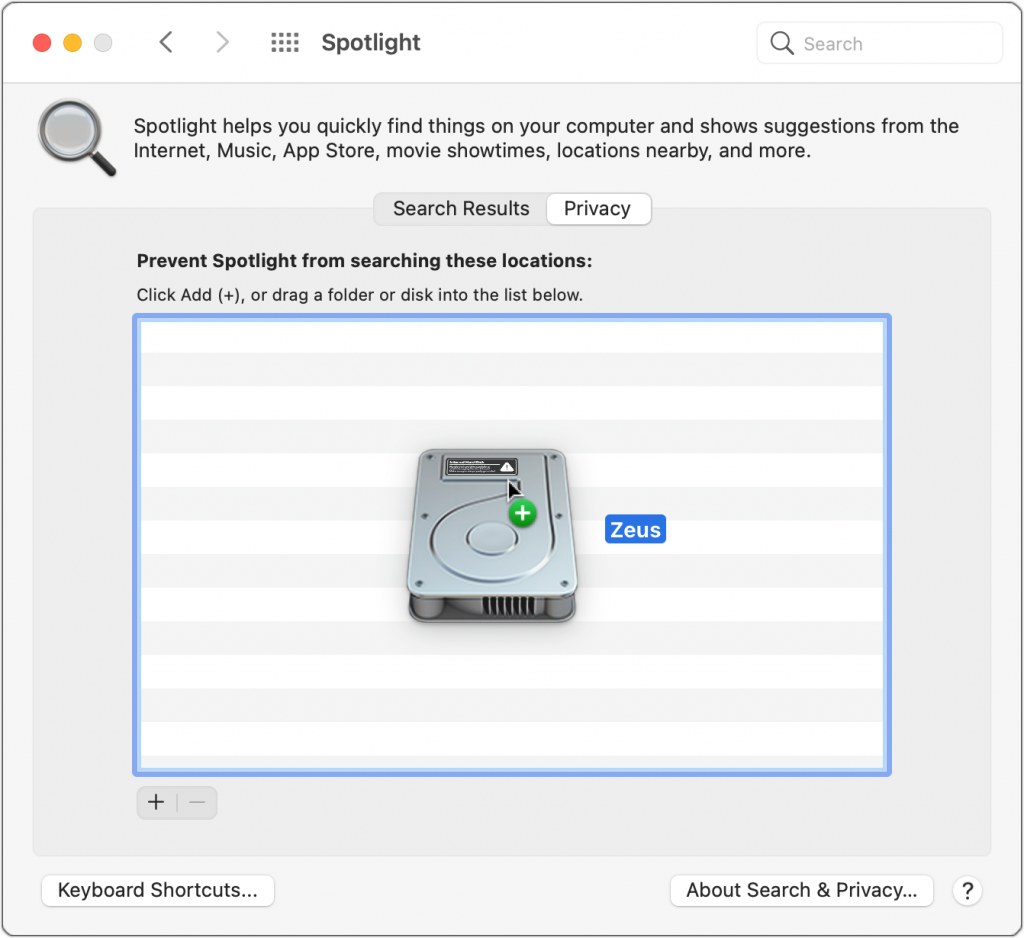
For the most part, Spotlight works well. Press Command-Space or use the Search field in a Finder window, and it finds everything that matches your search term. Sometimes, however, Spotlight fails to turn up a file that you know is present, likely due to index corruption. To fix the problem, you can force Spotlight to rebuild its index. (Don’t do this unless it’s necessary since reindexing can take a long time and may impact the performance of your Mac while it’s happening.) Open System Preferences > Spotlight > Privacy, and then drag your drive (or the drive on which Spotlight isn’t finding files) into the list of locations that Spotlight shouldn’t search. That deletes the old Spotlight index. Still working in the Spotlight Privacy list, select the drive and click the – button below the list. Spotlight now reindexes the contents of the drive and should find your files properly in the future.

Picking one style guide and living with it is the advice I give every time this question comes up, and…
Golden Gate as the macOS 27 codename is a nice callback. For mixed households I'd love a recommendation on the…
Check with your phone service provider.
Do you take orders for the new 18 or is that just at the Apple stores? Thanks
Making Wi-Fi joining as easy as scanning a QR code is exactly the kind of MacWorks tip guests actually use.