

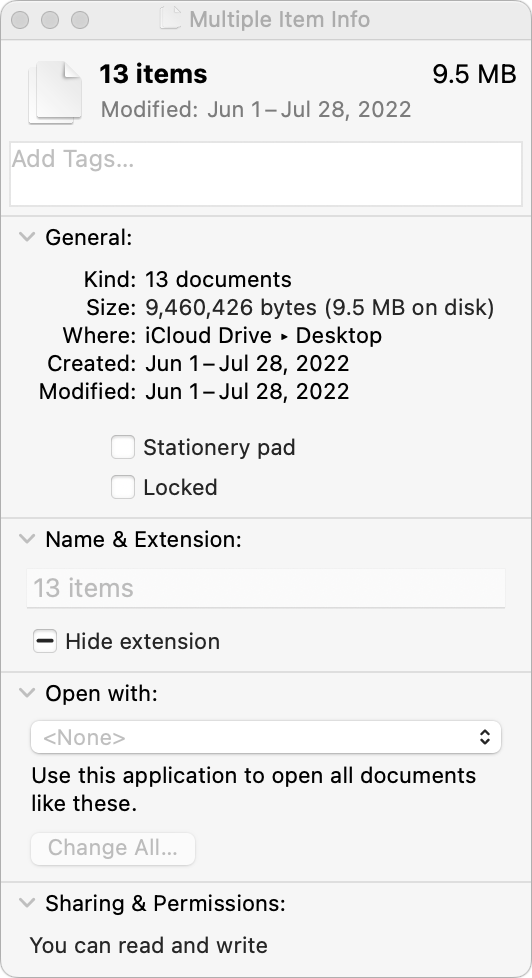
You probably know that selecting a file in the Finder and choosing File > Get Info (Command-I) brings up the Get Info window. This window provides information about the file, including its name, kind, size, creation and modification dates, and much more. You can also use Get Info to hide or show filename extensions, lock and unlock files, and change permissions. But what if you want to do those things to multiple files or figure out how large a set of files is? Turn to the Finder’s Inspector window instead. Select multiple files, hold down the Option key, and choose File > Show Inspector (Command-Option-I). The Inspector window looks and works almost exactly like the Get Info window. As a bonus, if you leave the Inspector window open, it updates to reflect whatever you select in the Finder—that’s faster than opening Get Info repeatedly for different items.
(Featured image by iStock.com/ipuwadol)

Picking one style guide and living with it is the advice I give every time this question comes up, and…
Golden Gate as the macOS 27 codename is a nice callback. For mixed households I'd love a recommendation on the…
Check with your phone service provider.
Do you take orders for the new 18 or is that just at the Apple stores? Thanks
Making Wi-Fi joining as easy as scanning a QR code is exactly the kind of MacWorks tip guests actually use.