

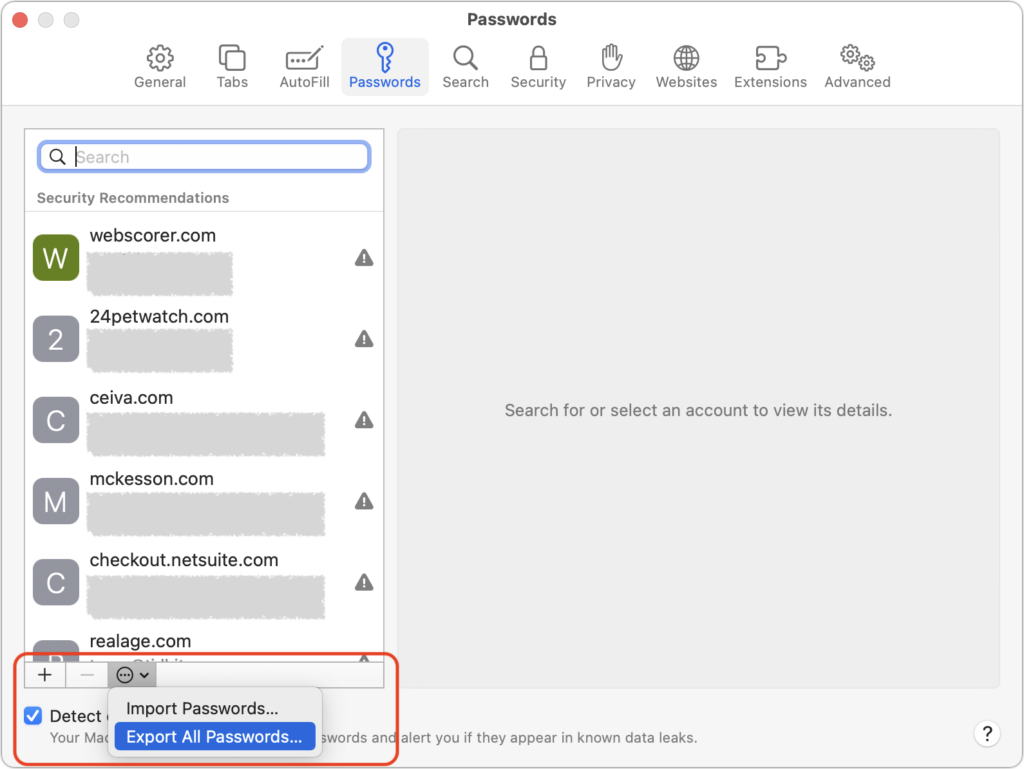
Although Apple has improved the built-in password management features in macOS and iOS (you can now add notes to password entries!), third-party password managers like 1Password and LastPass are still more capable. For those still getting started using a password manager, another new capability will ease the transition: Safari password export. To export a CSV file of your Safari passwords, choose Safari > Preferences > Passwords, and enter your password when prompted. From the bottom of the left-hand sidebar, click the ••• button, choose Export All Passwords, and save the Passwords.csv file to the Desktop. After you import the file into 1Password (instructions), LastPass (instructions), or another password manager, be sure to delete the exported file and empty the trash.
(Featured image by iStock.com/metamorworks)

A week might be too short if IT approval is still pending. I'd treat "keeping your old iPhone for a…
Awesome tech breakdown on "When Should You Upgrade to macOS 27 Golden Gate, iOS 27, iPadOS 27, watchOS 27, tvOS…
I’ve used Chrome’s built-in screenshot tool, but opening DevTools every time gets a bit tedious. I recommend FullPage Capture, it’s…
This is such an important reminder. I've been in meetings where an AI notetaker silently joined and recorded everything, and…
Awesome tech breakdown on "When Should You Upgrade to macOS 27 Golden Gate, iOS 27, iPadOS 27, watchOS 27, tvOS…