

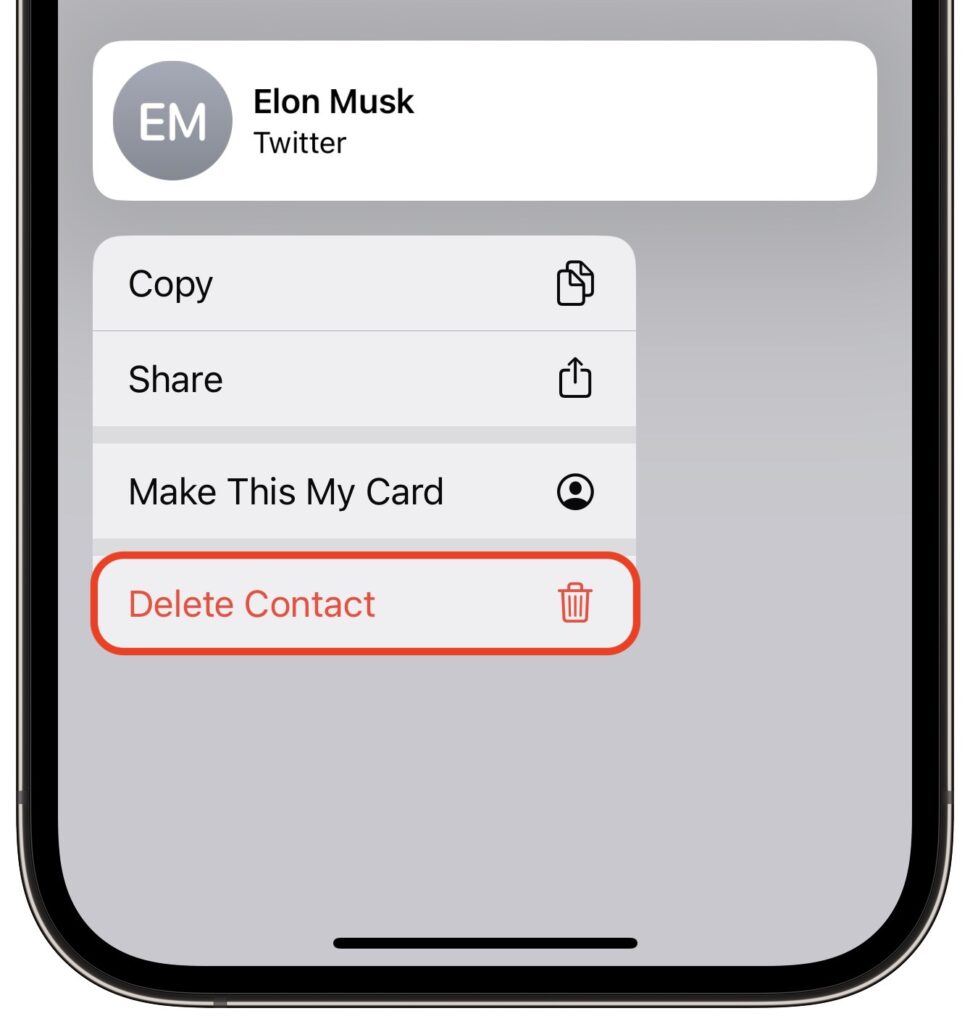
Deleting contacts on the iPhone and iPad used to be a pain, especially if you wanted to trash multiple contacts. You had to open the contact, tap Edit, scroll to the bottom, and tap Delete Contact. Although you still can’t swipe left on a contact in a list, as you do when deleting in Mail and Messages, iOS 16 and iPadOS 16 provide a simpler method. Touch and hold a contact in the Phone or Contacts lists, and then tap Delete Contact at the bottom.
(Featured image based on an original by iStock.com/anyaberkut)

A week might be too short if IT approval is still pending. I'd treat "keeping your old iPhone for a…
Awesome tech breakdown on "When Should You Upgrade to macOS 27 Golden Gate, iOS 27, iPadOS 27, watchOS 27, tvOS…
I’ve used Chrome’s built-in screenshot tool, but opening DevTools every time gets a bit tedious. I recommend FullPage Capture, it’s…
This is such an important reminder. I've been in meetings where an AI notetaker silently joined and recorded everything, and…
Awesome tech breakdown on "When Should You Upgrade to macOS 27 Golden Gate, iOS 27, iPadOS 27, watchOS 27, tvOS…