
 Image by Snapwire from Pexels
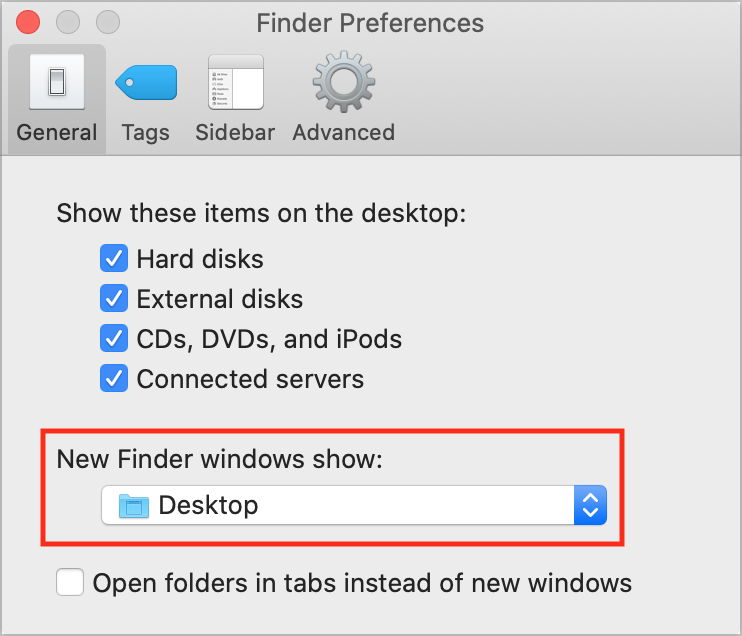
When you’re in the Finder, choosing File > New Finder Window does, as you’d expect, open a new Finder window. But what folder appears in that window? By default, new Finder windows open to Recents, which is a built-in smart folder showing recently opened documents. If you’d prefer to see items in a fixed location on your drive, go to Finder > Preferences > General and choose any location from the New Finder Windows Show pop-up menu. We’re partial to Desktop or Documents, but you can choose whatever folder makes sense with your workflow.

Picking one style guide and living with it is the advice I give every time this question comes up, and…
Golden Gate as the macOS 27 codename is a nice callback. For mixed households I'd love a recommendation on the…
Check with your phone service provider.
Do you take orders for the new 18 or is that just at the Apple stores? Thanks
Making Wi-Fi joining as easy as scanning a QR code is exactly the kind of MacWorks tip guests actually use.