
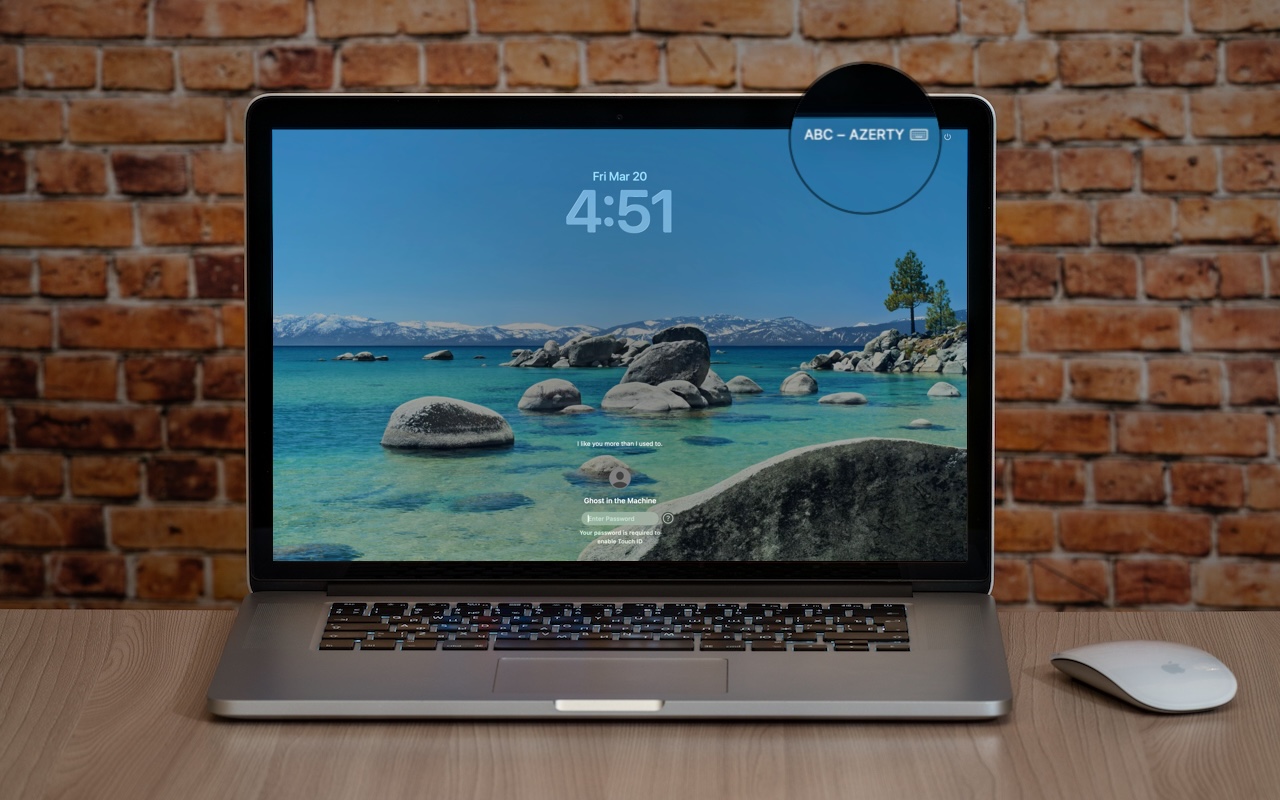
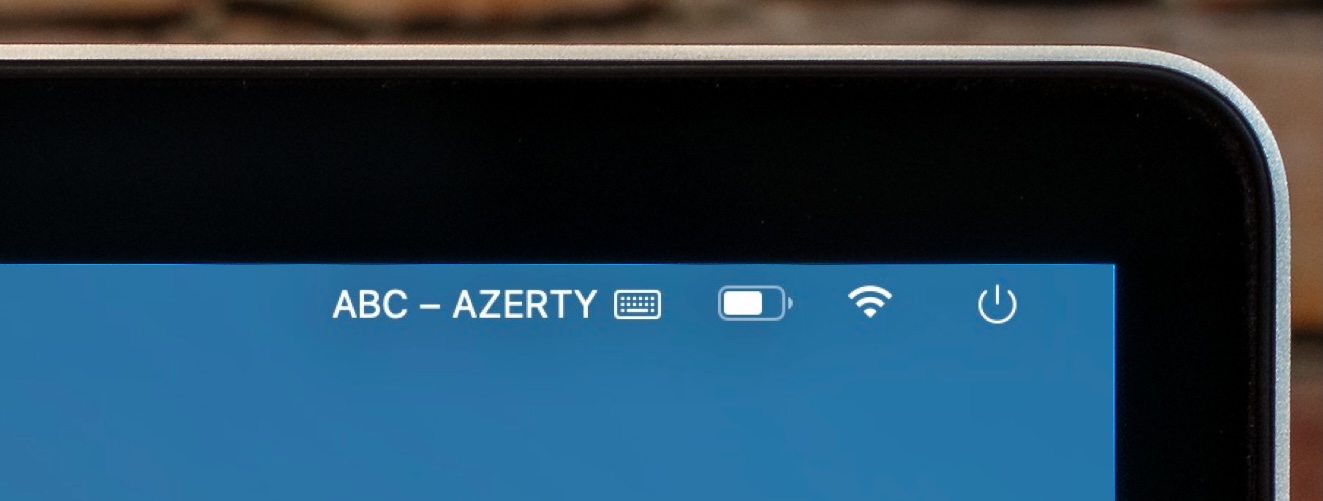
If your Mac starts typing unexpected characters—or rejects a password you know is correct—check to see if the Input Source menu appears in the upper-right corner of the screen, indicating that your Mac has more than one keyboard layout available for writing in other languages. Accidentally switching from the standard U.S. keyboard (or whatever you regularly use—Texasspeak?) to another layout—like the French ABC – AZERTY, which swaps the A and Q keys, among others—can cause keystrokes to produce different characters than expected. This key swapping is particularly confusing in password fields, where you can’t see what’s being typed. To fix it, click the Input Source menu and choose your default. To prevent this problem from recurring, go to System Settings > Keyboard, click Edit next to Input Sources, and delete any keyboard layouts you don’t use. You can also change what the Globe key does in System Settings > Keyboard—you can prevent accidental layout changes by switching it from Change Input Source to Show Emoji & Symbols, Start Dictation, or Do Nothing.
If you need a bit of help sorting this out, stop by either Austin MacWorks location, and we’ll get you fixed up!
(Featured image based on an original by iStock.com/Armastas)

A week might be too short if IT approval is still pending. I'd treat "keeping your old iPhone for a…
Awesome tech breakdown on "When Should You Upgrade to macOS 27 Golden Gate, iOS 27, iPadOS 27, watchOS 27, tvOS…
I’ve used Chrome’s built-in screenshot tool, but opening DevTools every time gets a bit tedious. I recommend FullPage Capture, it’s…
This is such an important reminder. I've been in meetings where an AI notetaker silently joined and recorded everything, and…
Awesome tech breakdown on "When Should You Upgrade to macOS 27 Golden Gate, iOS 27, iPadOS 27, watchOS 27, tvOS…