Attackers are now using fake websites to open Script Editor with pre-filled malicious scripts. Never run an AppleScript from any source you don’t completely trust!
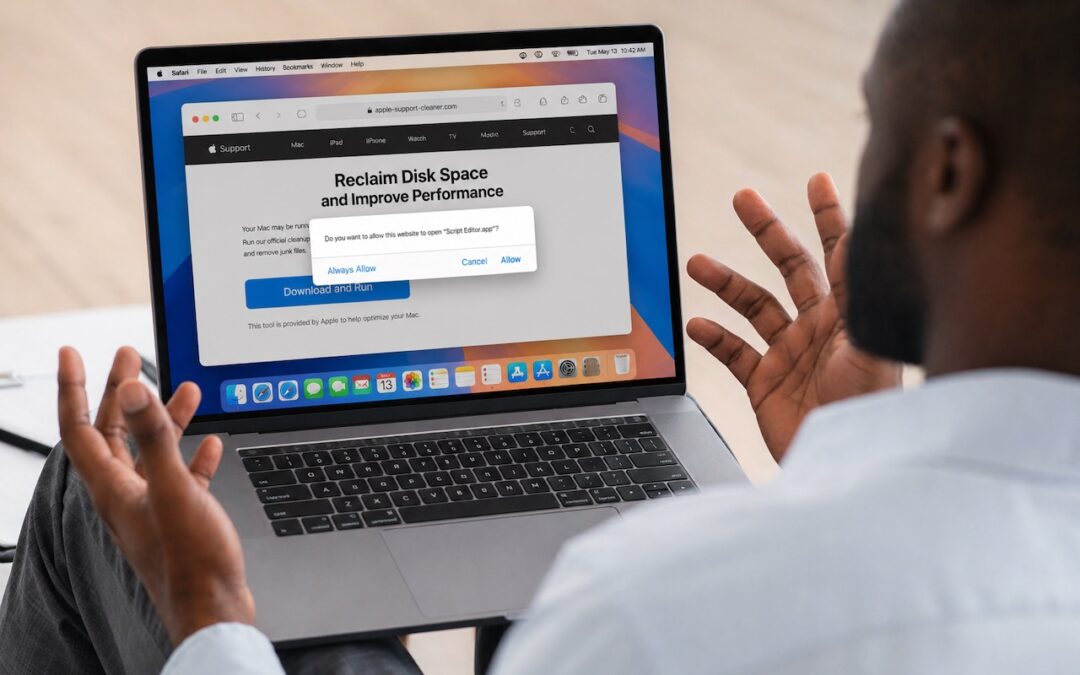

Attackers are now using fake websites to open Script Editor with pre-filled malicious scripts. Never run an AppleScript from any source you don’t completely trust!

Two major iPhone exploit kits—DarkSword and Coruna—can steal passwords, messages, and photos from everyday users who visit an infected website. Check your iOS version and update immediately to protect yourself.

Got a suspicious attachment? Dangerzone converts potentially dangerous PDFs and Office docs into safe, pixel-only copies you can view without risk. Think of it as a virtual photocopier that strips any hidden malware, JavaScript, or macros.

Fake CAPTCHAs that trick users into pasting malware commands into Terminal are now common enough that Apple added a warning in macOS 26.4 Tahoe. Remember: no legitimate verification ever requires Terminal commands!

Do you think using Dropbox or iCloud Drive means your files are backed up? Wrong. Delete or corrupt a file, and that change syncs everywhere instantly. Here’s why cloud storage isn’t a backup—and what to do about it.

Freezing IT spending during a slowdown often leads to higher costs later. Here’s practical, real-world advice on reducing costs while protecting the services that keep your business running.

AI agents like OpenClaw promise to automate tedious tasks, but recent security vulnerabilities highlight the dangers of using them.
Hackers have learned how to poison shared chatbot conversations with malware—and get Google to display them in search results. Never trust step-by-step instructions or Terminal commands from user-generated chatbot pages.

Kick off 2026 with smart security habits: back up every device, stay current on software updates, outsmart phishing attempts, avoid sketchy sites, and streamline your logins with a password manager.

Don’t let anyone you know get locked out of their Apple Account if they forget the password. Learn how to set up different recovery methods—then help your family and friends protect their accounts too.
A week might be too short if IT approval is still pending. I'd treat "keeping your old iPhone for a…
Awesome tech breakdown on "When Should You Upgrade to macOS 27 Golden Gate, iOS 27, iPadOS 27, watchOS 27, tvOS…
I’ve used Chrome’s built-in screenshot tool, but opening DevTools every time gets a bit tedious. I recommend FullPage Capture, it’s…
This is such an important reminder. I've been in meetings where an AI notetaker silently joined and recorded everything, and…
Awesome tech breakdown on "When Should You Upgrade to macOS 27 Golden Gate, iOS 27, iPadOS 27, watchOS 27, tvOS…