

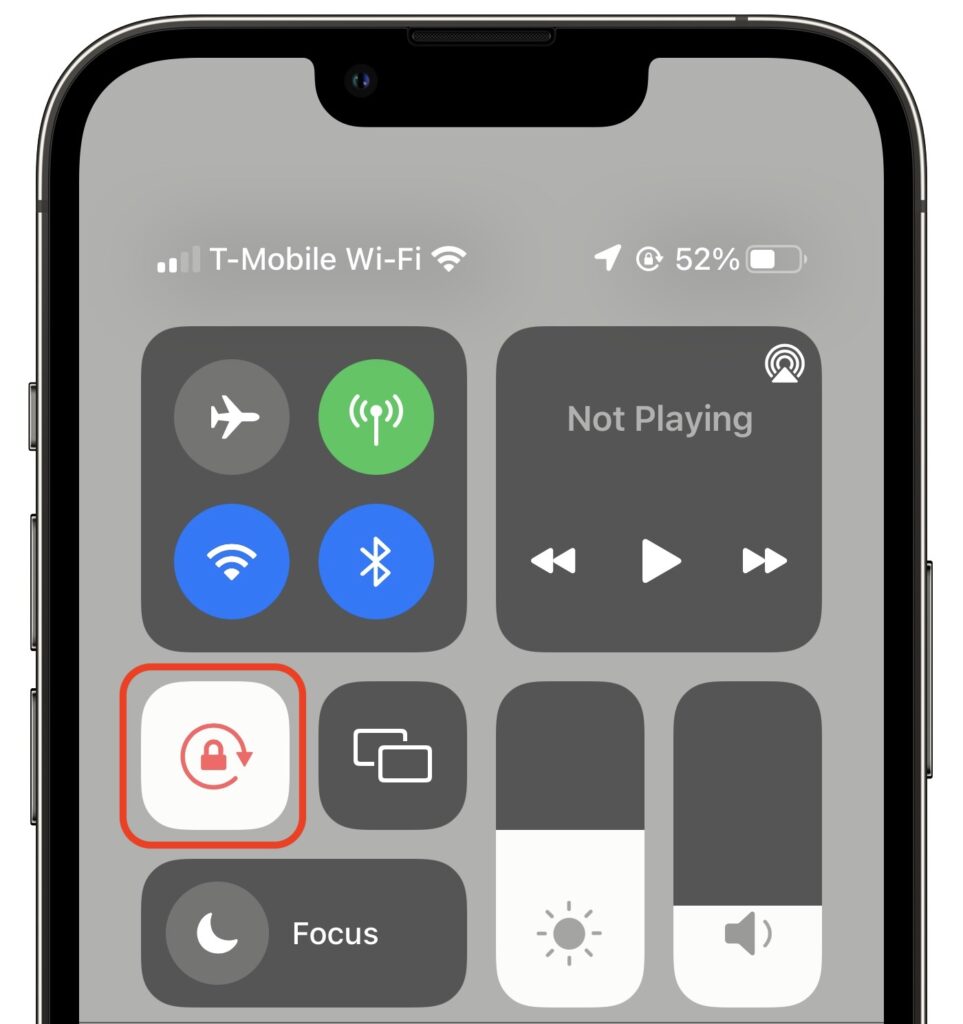
Normally, when you rotate an iPad, the screen happily flips from portrait (vertical) to landscape (horizontal) orientation as appropriate. Rotating an iPhone has the same effect in some apps, though many are written to work only in one orientation. If you ever end up in a situation where your device’s screen doesn’t rotate when you think it should, the reason is likely that Rotation Lock has been turned on in Control Center. Swipe down from the top-right corner of your screen (or up from the bottom of the screen on a Touch ID iPhone) and disable the Rotation Lock button. You can turn it on again later if you ever want to prevent the screen from rotating temporarily.
(Featured image by iStock.com/Jacephoto)

A week might be too short if IT approval is still pending. I'd treat "keeping your old iPhone for a…
Awesome tech breakdown on "When Should You Upgrade to macOS 27 Golden Gate, iOS 27, iPadOS 27, watchOS 27, tvOS…
I’ve used Chrome’s built-in screenshot tool, but opening DevTools every time gets a bit tedious. I recommend FullPage Capture, it’s…
This is such an important reminder. I've been in meetings where an AI notetaker silently joined and recorded everything, and…
Awesome tech breakdown on "When Should You Upgrade to macOS 27 Golden Gate, iOS 27, iPadOS 27, watchOS 27, tvOS…