
The Austin MacWorks Official Blog
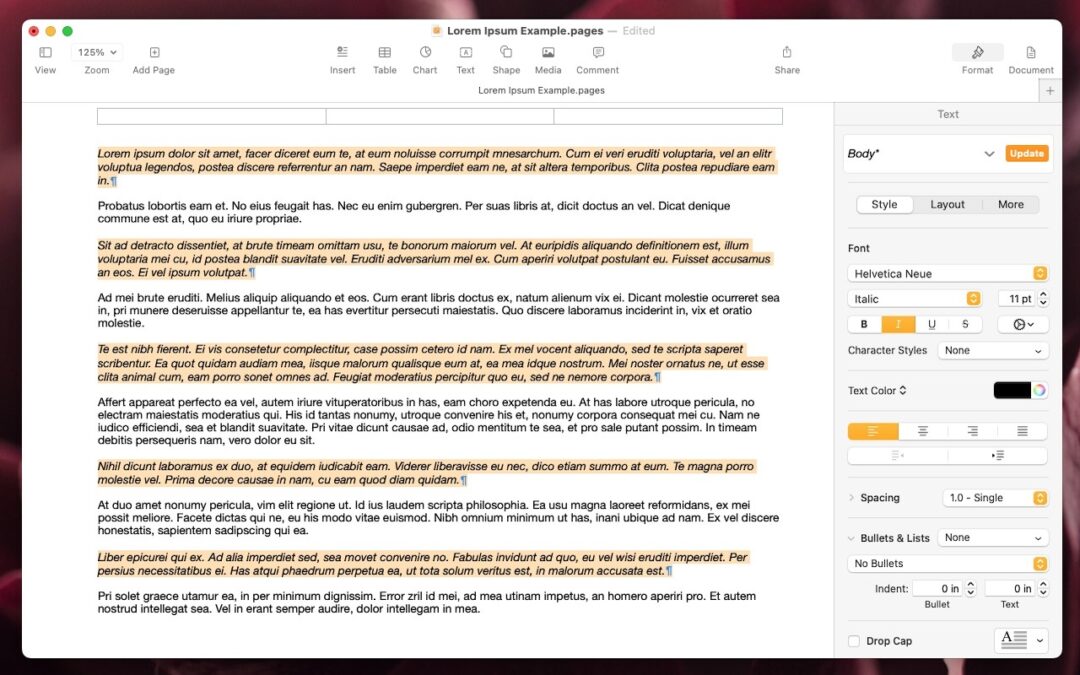
Select Non-Contiguous Text in Pages, Keynote, and Numbers 14
A new feature in Pages, Keynote, and Numbers lets you select bits of text that aren’t next to each other so that you can, for example, format them or copy them all at once.

Did You Know Most Mac Apps Keep Versions of Your Documents as You Work?
If you ever regret making a change too long ago to revert using Undo, try the versioning capabilities in many macOS apps that let you view, copy data from, and revert to previous versions of a document.

Display an Album of Photos on Your iPhone or iPad Lock Screen
If you like how the Lock Screen’s Photo Shuffle wallpaper rotates through photos but would prefer that it worked from an album you specified, you’re in luck! That’s now possible in iOS 17 and iPadOS 17.

Apple Introduces New iPad Air, iPad Pro, Apple Pencil Pro, and Magic Keyboard
Apple has released new 11-inch and 13-inch iPad Air and iPad Pro models, plus a new Apple Pencil Pro and Magic Keyboard for iPad Pro. We round up the new features and provide advice on what to consider for your next iPad.

How to Display the Battery Percentage in Your Mac’s Menu Bar
If you’re tired of trying to interpret how full your MacBook’s battery is from its menu bar icon, here’s how to get it to display a percentage as well.

Audit Your Trusted Device Lists for Greater Security
We all accumulate “trusted devices” in our Apple, Google, and password manager accounts, but it’s important to remove devices you no longer use because they could be security risks.
Super insightful and fresh perspective.
Well explained and easy to follow.
So glad I stumbled upon this.
Looking forward to your next post!
Truly a masterpiece of content.