
The Austin MacWorks Official Blog
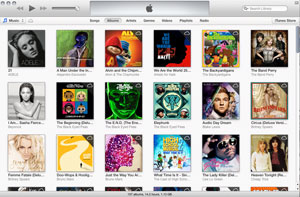
iTunes 11: Use Up Next to Play One Song, Then Stop Playback
Check out this great hint from MacWorld: Up Next can be used to play one song then stop playback in iTunes. Also, using this method, it can be accomplished entirely from the keyboard. (It's important to note that "All controls" must be checked at the bottom of the...
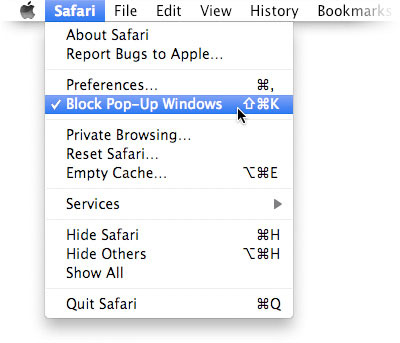
Block Web Ads
Apple shares this great tip with us: Tired of seeing pop-ads when you visit websites? You can eliminate the vast majority of them quickly and easily in Safari. Here’s how: Open Safari. Choose Block Pop-Up Windows from the Safari menu Wasn’t that easy?
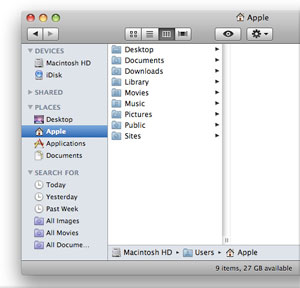
Learn More About Using the Mac’s Home Folder
Whether you share a Mac with others or have one all to yourself, you can find all your personal data — documents, downloads, music, and more — in the home folder Mac OS X created for you when you set up your Mac (or when someone created an account for you). You can...

New in Store: Incipio OVRMLD Flexible Hard-Shell Case
Austin MacWorks is pleased to carry the OVRMLD iPhone 5 case. The OVRMLD is a dual-injected design with full-coverage protection, perfect for the on-the-go iPhone 5 user. Rigid Plextonium shell with impact resistant core Excellent shock absorption Innovative hybrid...
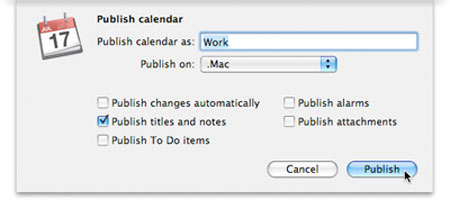
Share an iCal Schedule
Apple offers these great tips for using iCal. With your busy schedule, you depend on iCal to make certain you know when the kids need to be at the dentist and when you’re supposed to be in Philadelphia for the sales conference. Since this information may be just as...
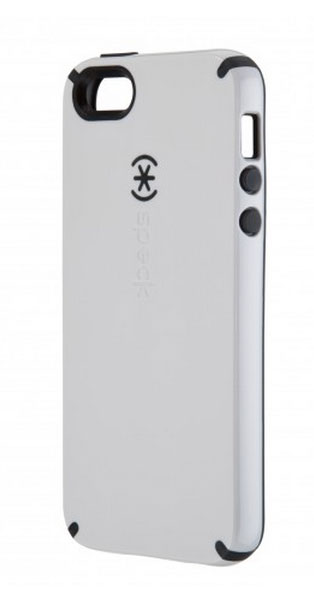
New in Store: CandyShell for iPhone 5
Speck's iconic CandyShell case is a tasty confection of style and protection! The new slimmer-than-ever design for your iPhone 5 protects and looks great! CandyShell's patented unibody hard/soft design combines the flexibility of a skin with the durability of a hard...
Super insightful and fresh perspective.
Well explained and easy to follow.
So glad I stumbled upon this.
Looking forward to your next post!
Truly a masterpiece of content.