With nearly half the American workforce now working from home, connectivity problems abound. Here are three categories of networking problems we’re seeing frequently, along with suggestions for solutions.


With nearly half the American workforce now working from home, connectivity problems abound. Here are three categories of networking problems we’re seeing frequently, along with suggestions for solutions.

Do you have frustrating interactions with tech support? Follow our advice on how to talk to a support rep to get better support and a faster resolution to your problem.
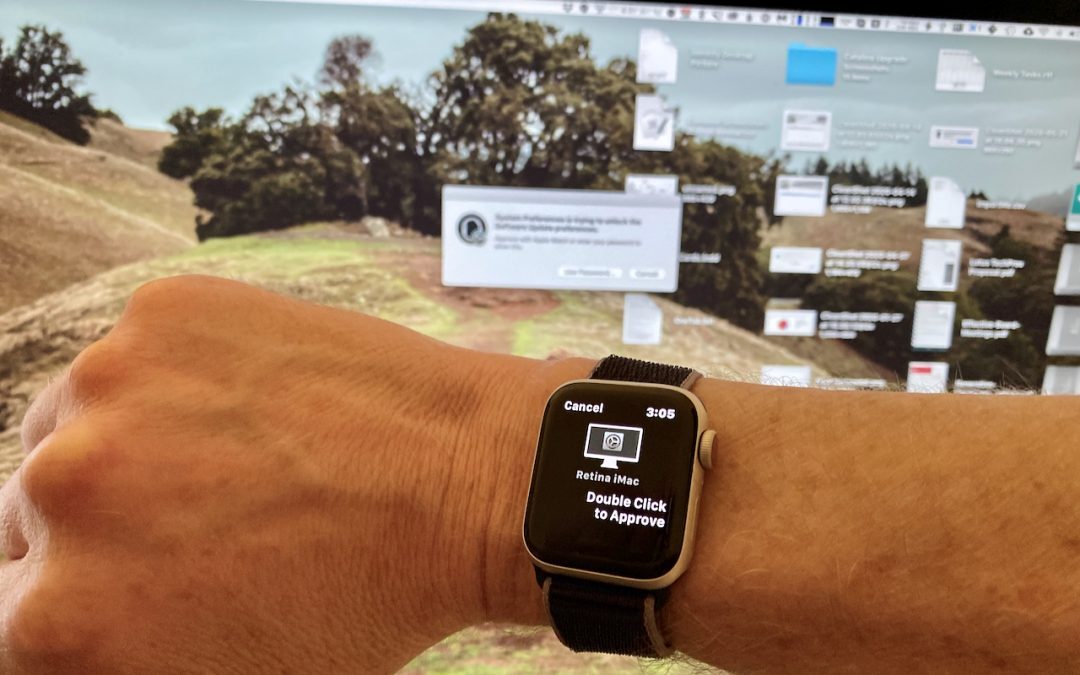
A change in macOS 10.15 Catalina makes it easier to install software or change security settings on your Mac. Learn more now.

Apple announced that future Macs will run on Apple-designed chips rather than processors from Intel. Got questions? We have answers!

At its Worldwide Developer Conference, Apple showed off the next versions of its major operating systems: macOS 11.0 Big Sur, iOS 14, iPadOS 14, and watchOS 7. Here’s what you can expect this fall.

When you use the Search field in a Finder window to look for files and folders, you have the choice of two scopes: This Mac or the current folder.

If you prefer to back up your iOS devices to your Mac, rather than take advantage of daily automatic iCloud backups, note that in macOS 10.15 Catalina, you now do that in the Finder, not in iTunes. Here’s what you need to know:

macOS has a feature that should make it so you don’t have to switch printers manually as often.

Apple and Google have formed an unprecedented partnership to develop an exposure notification system to help combat the COVID-19 pandemic. It’s thoughtfully designed to help with contact tracing while ensuring the privacy of all who use it.

Learn how to make some tweaks to Apple’s Group FaceTime feature.
Super insightful and fresh perspective.
Well explained and easy to follow.
So glad I stumbled upon this.
Looking forward to your next post!
Truly a masterpiece of content.